Did you know that 70% of organizations have adopted structured automation in 2025, up sharply from just 20% in 2021? Yet many small and mid-sized businesses still struggle with disconnected tools, manual processes, and inefficient workflows that eat away at profitability and agility. In today’s fast-changing business environment, workplace automation trends aren’t a buzzword, they are a necessity.
As operations become more complex across sales, HR, finance, manufacturing, and service functions, manual spreadsheets, disjointed tools, and siloed data no longer cut it. For 2026 and beyond, companies that fail to embrace automation risk falling behind, in speed, accuracy, and customer experience.
In this article, you’ll learn about 15 key workplace automation trends shaping 2026. You’ll discover why they matter, how they deliver real ROI, and more importantly, how a unified CRM + ERP platform like CrmLeaf can help you take advantage of them today. Whether you’re a sales leader, HR manager, operations head, finance professional or manufacturing lead, this guide is for you.
Business Need & Importance
Running a business in 2025 and beyond comes with rising expectations: faster decision-making, leaner operations, tighter compliance, better customer satisfaction, and scalable growth. For many small and mid-sized businesses, this means coping with mounting inefficiencies, cost leaks, and sluggish response times.
- Cost and time overhead due to manual processes: Manual data entry, updating spreadsheets, reconciling information across teams, these tasks consume precious hours every week. As reported, automation can cut operating costs on average by 22% and significantly improve productivity.
- Risk of errors and miscommunication in disconnected systems: When departments, sales, finance, HR, manufacturing, use separate tools, data duplication, misaligned records, and communication gaps become routine. This often leads to wrong orders, over-stocking, missed payments, compliance lapses, and poor customer experience.
- Competitive pressure and demand for agility: In sectors like manufacturing, retail, distribution, services, logistics and HR, speed matters. A manufacturer can’t wait days to reconcile inventory and orders; a service firm can’t risk delays in payroll or project billing; a retailer can’t afford stockouts. Automated, real-time systems become critical.
For example:
- A mid-sized manufacturer relying on spreadsheets for inventory and production scheduling may end up over-producing or underutilizing capacity, leading to higher costs and waste.
- A retail or distribution company using separate sales, inventory, and accounting tools may promise a delivery it can’t fulfill because stock data isn’t synced — risking customer trust.
- An HR or services firm juggling HR, payroll, project billing, and finance across tools may miss deadlines, commit compliance violations, or waste management time on low-value admin.
Growing businesses, spreadsheets and disconnected systems are no longer sustainable. They don’t scale. They don’t provide a “single source of truth.” And they don’t offer the real-time insight and automation needed to stay competitive.
That’s why workplace automation trends and adoption of unified CRM systems are becoming mission-critical for SMEs and mid-sized firms alike.
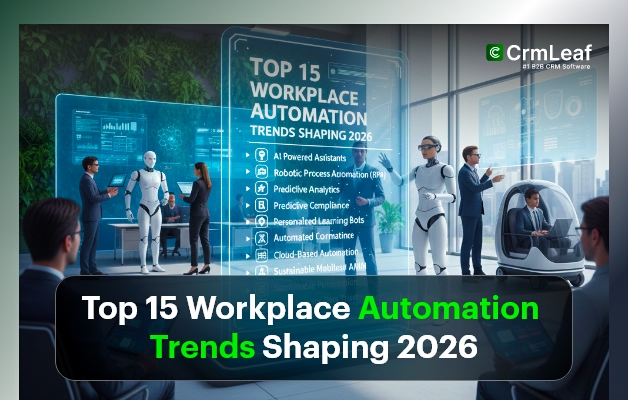
Top 15 Workplace Automation Trends Shaping 2026
Here are the 15 major automation trends that will shape how businesses operate in 2026, with clear implications for small and mid-sized businesses.
1. AI & Machine Learning Integration
Businesses increasingly embed AI and machine learning into core workflows, from lead scoring and customer segmentation to demand forecasting, predictive maintenance, and invoice processing. This doesn’t just automate routine tasks, it helps teams make smarter, data-driven decisions quickly.
2. Hyperautomation & Workflow Orchestration
Hyperautomation, combining automation tools, AI, APIs, and orchestration, enables end-to-end automation of complex business processes. Instead of isolated automation for one task, entire workflows across departments (e.g. sales → inventory → finance) get automated, driving efficiency and eliminating human bottlenecks.
3. No-Code/Low-Code Automation Tools
More tools now allow non-technical users to build automation workflows without coding. This “democratization” empowers sales, HR, operations, and finance teams to create custom automation, no developer required. This reduces dependence on IT and accelerates adoption.
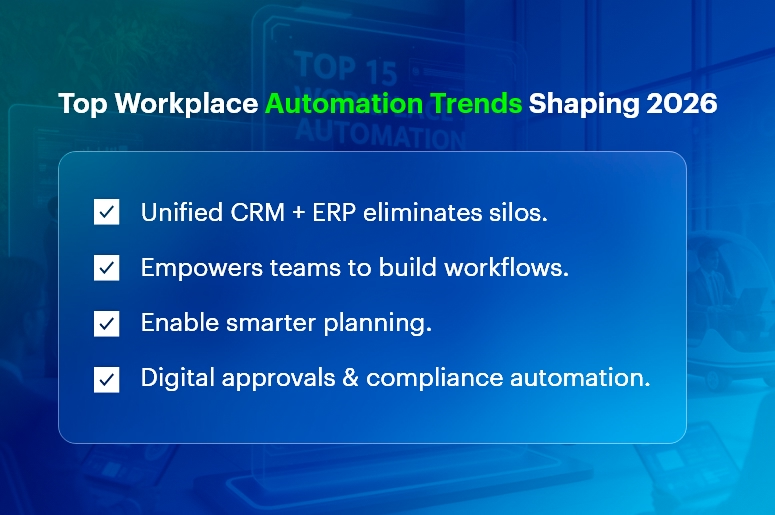
4. Unified CRM + ERP Automation Platforms
Rather than maintaining multiple standalone tools, businesses increasingly turn to unified platforms combining CRM, HR, finance, inventory, manufacturing and more. This centralization ensures real-time visibility, better collaboration, and elimination of silos, a big win for mid-sized firms seeking scale and simplicity.
5. Real-Time Data & Analytics-Driven Workflows
Automation isn’t just about doing tasks, it’s about using data intelligently. Automated dashboards, real-time reporting, and analytics-driven alerts help teams respond quickly to sales trends, stockouts, cashflow issues, or workforce bottlenecks, rather than react after the fact.
6. Intelligent Document Processing & Digital Approvals
From invoices and purchase orders to HR forms and contracts, business thrives on documents. Automation now helps extract data, route approvals, flag exceptions, and archive records. This speeds up processes, reduces manual errors, and enables audit-ready compliance.
7. Automated HR & Payroll Management
HR and payroll workflows are increasingly automated, employee onboarding, attendance tracking, leave approvals, payroll disbursements, performance reviews, compliance reporting. This reduces admin burden and ensures compliance, freeing HR to focus on strategic functions.
8. Inventory, Supply Chain & Manufacturing Automation
For manufacturing, retail and distribution businesses, automation is extending to inventory tracking, stock replenishment, demand planning, production scheduling, supply-chain coordination, and quality control, reducing waste and improving predictability.
9. Project & Task Automation for Services and Projects Teams
Service companies and project-based businesses benefit from automation in project scheduling, task assignment, time tracking, billing, and resource allocation. Automating these helps deliver projects on time, track profitability, and manage resources efficiently.
10. Integrated Finance, Billing & Invoicing Automation
Automated invoicing, payment reminders, expense tracking, financial reporting and reconciliation help finance teams reduce errors, speed up billing cycles, improve cash flow visibility, and free time for strategic financial planning.
11. Demand Forecasting & Predictive Analytics
Automation powered by AI and analytics enables demand forecasting, whether for manufacturing output, inventory replenishment, or staffing needs, helping businesses stay prepared, avoid stockouts, and optimize resource allocation.
12. Self-Service Portals & Chatbots for Customer & Employee Support
Automation of customer support (via chatbots), internal HR support, and self-service portals for employees reduces repetitive queries and frees up staff bandwidth. It also improves customer satisfaction and internal responsiveness.
13. Compliance, Audit Trails & Automated Reporting
Automated systems maintain logs, track changes, archive records, and generate audit-ready reports. This helps companies stay compliant with financial regulations, labour laws, tax rules, especially needed for growing businesses operating across regions or industries.
14. Scalability & Modular Growth via Cloud Automation
As cloud-based SaaS automation platforms mature, businesses can adopt modules incrementally, CRM first, then inventory, then manufacturing, HR, finance, scaling automation as they grow, without overhauling everything at once.
15. Human + Digital Worker Collaboration (Augmented Workforce)
Rather than replacing people, many automation solutions now focus on augmentation, enabling employees to focus on higher-value work while robots, bots, or AI handle repetitive tasks. This increases job satisfaction, reduces burnout and enables teams to leverage creativity, judgment, and strategy.
Best Practices, Frameworks & Actionable Tips
Implementing automation effectively, especially across multiple departments, requires a thoughtful, strategic approach. Here’s a roadmap for small and mid-sized businesses ready to adopt these workplace automation trends with a unified platform like CrmLeaf.
Do’s
-
Start with a clear automation strategy.
Before automating everything, map out your core business processes, sales to cash, procurement to payables, HR onboarding, inventory to delivery, project to billing. Identify repetitive tasks, bottlenecks, and pain points. This ensures automation targets the highest value areas first.
-
Choose a unified CRM + ERP platform.
Rather than cobbling together disparate tools, choose a unified solution that integrates CRM, HRMS, inventory, finance, manufacturing and projects. This creates a single source of truth, eliminates silos, reduces duplication, and ensures data flows seamlessly across departments. For example, CrmLeaf modules (CRM, HRMS, Payroll, Inventory, Manufacturing, Projects, Finance) work together, so a sales order automatically reflects inventory, production, and finance.
-
Leverage no-code/low-code automation where possible.
Empower non-technical staff, sales, HR, operations, to build simple automations and workflows themselves without needing IT involvement. This speeds rollout and enhances adoption.
-
Automate end-to-end workflows (not just tasks).
Focus on full process automation: from lead capture to order fulfillment and invoicing, or from recruitment to onboarding and payroll. This holistic approach delivers maximum efficiency and eliminates manual hand-offs.
-
Enable real-time data & dashboards.
Set up real-time dashboards and alerts, for inventory stock, cash flow, project progress, overdue invoices, staffing shortfalls, to help managers make quick decisions instead of waiting for periodic reports.
-
Build strong change-management and training culture.
As automation grows, ensure employees understand new workflows, are trained properly, and know how to collaborate with automated systems. Include human oversight where needed, especially in complex tasks.
-
Measure ROI and track performance.
Define clear metrics, time saved, cost reduced, error rates, cash-flow improvement, cycle time decrease, and track them before and after automation. This helps demonstrate real value and refine automation over time.
Don’ts & Common Mistakes to Avoid
-
Don’t automate before documenting processes.
Automating messy or undefined processes simply magnifies inefficiencies. Always document workflows, steps, decision points, and exceptions before building automation.
-
Don’t implement multiple tools in silos.
Using a CRM for sales, a separate ERP for inventory, another for HR, leads to data fragmentation, duplication and misalignment. That defeats the purpose of automation.
-
Avoid over-automation without human oversight.
Some tasks require judgment, empathy, or human discretion (e.g. HR evaluations, complex customer queries). Automate what makes sense, but retain human control where needed.
-
Don’t ignore data quality and governance.
Automation is only as good as the data it works on. Poor data quality leads to wrong decisions, inaccurate forecasts, and compliance risks.
-
Don’t implement all automation at once.
A full-scale automation rollout can overwhelm teams and disrupt operations. Instead, take a modular, phased approach, automate one domain at a time (sales → inventory → finance → HR …), gather feedback, then expand.
Implementation Framework & Quick Wins
| Phase | What to Do | Quick Wins / Results |
| Phase 1 – Discovery | Map all business processes, identify repetitive tasks, bottlenecks, and high-impact areas | Understand where automation delivers the highest ROI |
| Phase 2 – Choose Platform & Modules | Select a unified CRM + ERP platform (like CrmLeaf), decide modules to start with (e.g. CRM + Inventory + Finance) | Centralized data, elimination of silos, reduced manual data entry costs |
| Phase 3 – Pilot Automation | Automate a small, high-value process (e.g. lead-to-order → invoice); build a no-code workflow or automation | Immediate time savings, faster sales cycles, fewer errors |
| Phase 4 – Expand Gradually | Add more modules (HRMS, Payroll, Projects, Manufacturing), integrate workflows end-to-end | Better inter-department coordination, real-time visibility, streamlined operations |
| Phase 5 – Monitor & Optimize | Set KPIs (time saved, cost reduction, error rate), track results, iterate workflows | Clear ROI, continuous improvement, data-driven operations |
Why Unified CRM + ERP is Superior
A unified CRM + ERP platform isn’t just “nice to have” it’s foundational in this automation era. Here’s why:
- Single source of truth across departments — When sales, inventory, manufacturing, finance, HR, and projects are in one system, data stays consistent. No manual reconciliation, no duplicate entries, no conflicting records.
- Seamless end-to-end workflows — A quote entered by sales immediately shows up in inventory, triggers stock checks, signals manufacturing (if needed), triggers billing, updates accounts receivable — all automated. That kind of end-to-end orchestration is impossible when systems are disconnected.
- Real-time insight & decision-making — Leaders get live dashboards: real-time cash flow, inventory levels, project statuses, workforce utilization — enabling them to act proactively rather than reactively.
- Scalable and modular growth — As your business grows, you can enable new modules (HRMS, Payroll, Manufacturing, Project Management) without migrating data or switching platforms — perfect for SMBs evolving into mid-sized firms.
- Lower total cost of ownership and reduced IT overhead — Instead of managing multiple vendors, integrations, and maintenance, one unified platform simplifies IT, reduces errors, and delivers better ROI.
In short: unified CRM + ERP is not just a convenience — it’s the backbone of modern, automated, data-driven business operations.
Key Takeaways & Closing
Workplace automation trends for 2026 are not just about doing things faster, they’re about doing them smarter, with fewer errors, better visibility, and real scalability.
By embracing automation, especially through a unified CRM + ERP platform like CrmLeaf, small and mid-sized businesses can eliminate silos, cut costs, improve collaboration, speed up operations, and scale with confidence.
The time to act is now. The future of streamlined, efficient, data-driven business operations is here, and it’s powered by workplace automation trends.
With the right tools and mindset, you’ll be well-positioned to thrive in the decade ahead.
FAQs
Q: What are “workplace automation trends”?
Workplace automation trends refer to emerging patterns and technologies, like AI, hyperautomation, unified CRM + ERP platforms, that automate business processes, reduce manual work, and enable data-driven operations across departments.
Q: Why should small and mid-sized businesses care about these trends?
Because manual processes, disconnected tools, and data silos don’t scale. Automation brings cost savings, efficiency, accuracy, and real-time insight, helping growing businesses stay competitive.
Q: Can automation replace human teams?
Not entirely. Automation works best when it augments human efforts, handling repetitive tasks while people focus on strategic, creative, or judgment-based work. A unified platform ensures humans and digital workflows collaborate effectively.
Q: Is it expensive to implement automation and unified systems like CrmLeaf?
Not necessarily. Many modern unified platforms offer modular, scalable pricing, you can start small (CRM + one module) and gradually expand. Reductions in manual workload, errors, and admin overhead often pay for the investment quickly.
Q: How do I know which workflows to automate first?
Start with high-volume, repetitive, error-prone tasks, for example: lead-to-order processing, invoice generation, inventory updates, payroll, or project billing. Those deliver quick ROI and build confidence for broader automation.
Q: Will automation make compliance easier?
Yes. Automated systems maintain audit trails, track changes, archive records, and generate reports, which helps with financial compliance, tax reporting, payroll regulations, and audit readiness.
Q: Does using a unified CRM + ERP platform limit flexibility?
No, in fact, it increases flexibility. Unified platforms provide modular growth, real-time data access, cross-functional workflows, and the ability to adapt as your business evolves, without migrating data or juggling multiple tools.