HR Compliance: Avoid These 5 Costly Payroll Mistakes

Did you know that over 33% of small businesses get fined each year due to payroll errors? These aren’t just bookkeeping blunders — they’re HR compliance time bombs. Whether it’s misclassifying employees, missing deadlines, or incorrectly filing taxes, even a single mistake can lead to government penalties, employee distrust, and operational delays.

In this blog, we’ll unpack the five most common payroll mistakes that can wreck your HR compliance, especially if you’re still relying on manual or disjointed systems. We’ll also show you how a connected HRMS like CRMLeaf helps eliminate these issues before they cost you time, money, or reputation.

Let’s make sure your business stays compliant, confident, and payroll-error free.

Why Payroll Compliance Matters More Than Ever

HR compliance isn’t just about avoiding fines — it’s about protecting your people, your brand, and your bottom line. With regulations tightening globally and employees expecting faster, error-free payrolls, companies across all sectors must raise their game.

Let’s look at a few real-world scenarios:

  • Retail chains often struggle with employee classification, especially with part-timers, freelancers, or interns.
  • Manufacturing units may unintentionally breach labor law limits on overtime if systems don’t track it well.
  • Startups in tech may underpay or delay benefits during rapid hiring — leaving room for payroll compliance violations.

No matter your industry, if you don’t build a compliant payroll workflow into your HR systems, your risk of penalty — and employee dissatisfaction — soars. And as your company grows, so do these risks.

With a smart, integrated HRMS system like CRMLeaf, you automate compliance checkpoints, reduce human error, and stay ready for audits at any time.
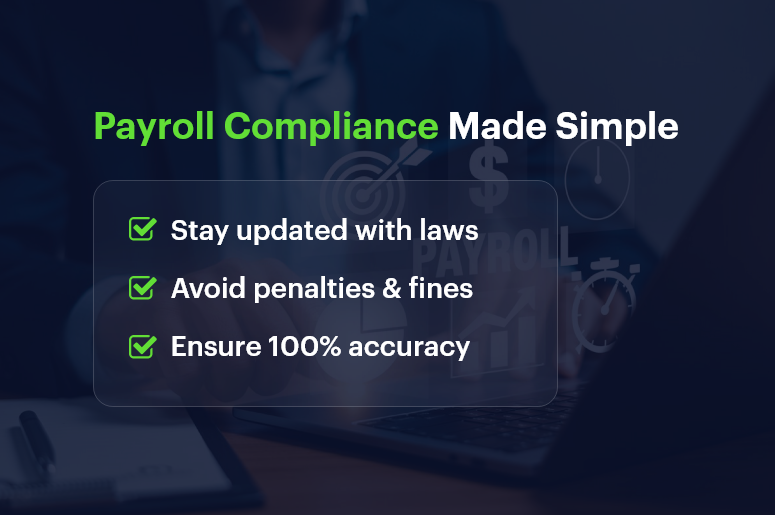
Payroll-Compliance-Made-Simple

5 Payroll Mistakes That Can Ruin Your HR Compliance

1. Misclassifying Employees or Contractors

Why It’s a Problem:

Classifying someone as a contractor instead of an employee can help avoid taxes — until it doesn’t. If regulators catch it, expect back taxes, interest, and penalties.

How to Avoid It:

A connected HR + Finance ERP lets you define contract types clearly and apply tax deductions, benefits, and responsibilities accordingly. CRMLeaf helps ensure proper classification through rule-based workflows and smart prompts.

2. Missing or Delaying Payroll Tax Filings

Why It’s a Problem:

Governments are strict about payroll taxes. Late filings or incorrect amounts can cost thousands in interest, not to mention damage to your brand.

How to Avoid It:

Use automated tax filing tools built into CRMLeaf’s payroll module. These trigger reminders, generate reports, and even auto-submit filings — so you never miss a due date again.

3. Inaccurate Time Tracking and Overtime Calculations

Why It’s a Problem:

Miscalculating overtime — or not paying it at all — is one of the top labor law violations. This can escalate quickly into lawsuits or fines from labor boards.

How to Avoid It:

HR software like CRMLeaf integrates time tracking, attendance, and payroll. This ensures that any extra hours logged get automatically reflected in the payroll calculations — keeping you safe and fair.

4. Not Keeping Updated With Compliance Changes

Why It’s a Problem:

Payroll laws change often — be it minimum wage updates, tax slab revisions, or reporting obligations. Not staying current means non-compliance, even if it’s unintentional.

How to Avoid It:

CRMLeaf regularly updates compliance modules to match local and national payroll laws. You also get notifications and templates aligned with the latest rules — keeping your team always one step ahead.

5. Failing to Maintain Payroll Records and Audit Trails

Why It’s a Problem:

If you’re ever audited, you’ll need a clear, accurate payroll history. Manual records are error-prone, and missing information can cost you in legal defense.

How to Avoid It:

CRMLeaf’s cloud-based HR module stores all payroll documents with version history, approval logs, and timestamps. You’ll always have a clean, traceable digital trail for every transaction.

Best Practices to Stay Payroll-Compliant Year-Round

Consistency and automation are the foundation of payroll compliance. Here’s what businesses should focus on:

1. Automate Payroll Workflows

Manual steps increase the risk of missed actions and errors. By setting up end-to-end payroll automation in CRMLeaf, you reduce dependencies on HR staff while increasing accuracy and speed.

2. Use Checklists for Monthly Payroll Runs

Create a monthly compliance checklist that includes tax calculations, statutory deductions, and employee approvals. CRMLeaf lets you digitize and reuse checklists so no step is skipped.

3. Train Your HR and Finance Teams

Even the best system can’t help if the people using it don’t understand compliance protocols. Conduct quarterly training sessions using CRMLeaf’s built-in LMS or link to an HR learning platform.

4. Run Compliance Audits Quarterly

A small internal audit helps spot issues early. With CRMLeaf’s built-in analytics, you can generate compliance reports to track accuracy, deductions, and pay discrepancies.

5. Keep Everything Centralized

Avoid data silos. Integrate your payroll, HR, and finance functions under a single HRMS system. This centralization reduces duplication, speeds up approvals, and ensures real-time updates across the board.

Customer Success

For example, Nimbus Textiles, a mid-sized manufacturing company, used CRMLeaf Payroll Automation to reduce payroll processing time by 60% and cut tax filing errors to zero. By integrating attendance, payroll, and compliance under one platform, they avoided a ₹2,00,000 fine due to late tax filing — and saved 20+ hours monthly.

Key Takeaways & Final Thoughts

Avoiding payroll mistakes is not just about fixing errors — it’s about building trust, scaling safely, and focusing on your growth instead of fearing the next compliance audit.

  • Misclassifications, late filings, and poor time tracking are the biggest threats to HR compliance.
  • A connected HRMS system like CRMLeaf eliminates guesswork with automation, alerts, and clear reporting.
  • Companies that prioritize payroll compliance enjoy smoother operations, fewer disruptions, and stronger employee morale.

Whether you’re in retail, tech, manufacturing, or services, now is the time to move from manual to modern HR practices.

Data Silos Are Killing Your Productivity: Here’s How to Fix Them

In today’s competitive, fast-moving business environment, data silos are quietly sabotaging your productivity. According to Gartner, poor data quality — including siloed data — costs organizations an average of $12.9 million per year. It’s not just about lost revenue; it’s about missed opportunities, duplicated work, and frustrated teams.

Data silos are what happen when different departments hoard information in disconnected systems. Sales uses one tool. HR uses another. Finance has a spreadsheet. Nobody talks, and nothing flows. The result? Poor communication, inconsistent data, and a sluggish, inefficient workflow.

But it doesn’t have to be this way.

This guide will show you how data silos are hurting your business—and more importantly, how to break them down using modern CRM software. By the end, you’ll have clear strategies and tools to eliminate information barriers and unlock real productivity.

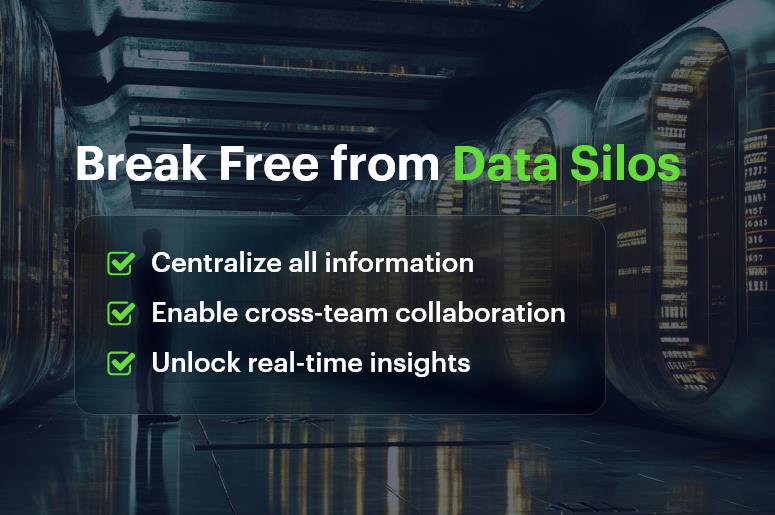
Break Free from Data Silos

Why Data Silos Are a Problem for Growing Businesses

If you’re scaling a team or expanding across departments, data silos become a ticking time bomb. At first, they’re subtle — some missed emails here, a delayed response there. But as your team grows, the cracks widen.

Here’s why data silos are such a problem:

  • They slow decision-making. When teams don’t have access to the same information, decisions are made with outdated or incomplete data.
  • They breed inefficiency. Multiple versions of the same data create confusion, extra work, and duplicated efforts.
  • They block collaboration. Cross-functional teams can’t align when data lives in different places.
  • They damage customer experience. If support doesn’t know what sales promised, or billing isn’t aligned with service delivery, the customer suffers.

Industry Examples

  • Retail: Sales and inventory operate in silos, leading to stockouts or overordering.
  • Healthcare: Patient data is locked in separate systems across departments, delaying treatment.
  • Manufacturing: Supply chain, procurement, and finance use disconnected tools, leading to budget overruns and delays.

In short, data silos aren’t just annoying — they’re costly and risky.

How to Break Down Data Silos: Best Practices That Work

You don’t need to overhaul your entire business to eliminate data silos. Small, strategic steps can have a massive impact — especially when powered by an integrated CRM platform like CRMLeaf.

1. Centralize Your Data

Start by bringing all critical data — customer, project, HR, sales, finance — into one unified system. This ensures that everyone sees the same real-time information.

Quick Tip: Use CRM software that supports multi-departmental integration.
Why it matters: When teams access the same data, you reduce confusion and increase alignment.

2. Standardize Data Entry Across Teams

Inconsistent data entry is a silent killer. Standard fields, dropdowns, and input rules ensure that all departments collect and store data uniformly.

Quick Tip: Build standardized forms within your CRM system for every team — sales, support, HR, etc.
Why it matters: Standardization eliminates duplication and makes data easier to analyze.

3. Automate Workflows Between Departments

Automated triggers help hand off tasks between teams — like notifying finance when a sale is closed or alerting HR when a new hire is added.

Quick Tip: Use your CRM platform to automate recurring, cross-functional workflows.
Why it matters: This reduces manual back-and-forth and eliminates dropped handoffs.

4. Enable Role-Based Access for Transparency & Control

Everyone should see what they need — no more, no less. Role-based permissions help break silos while maintaining data security.

Quick Tip: Set permissions by department or role inside your CRM to maintain data privacy without hiding critical information.
Why it matters: Balanced transparency boosts collaboration without risking sensitive data.

5. Train Teams to Use One Source of Truth

Tool fatigue is real. If your teams are bouncing between 7 apps, they’ll default to what they know. Reinforce the CRM as the single source of truth.

Quick Tip: Offer onboarding and refresher training. Highlight how the CRM improves their daily workflow.
Why it matters: Adoption is key — technology doesn’t break silos, people do.

Customer Success Story: Breaking Silos in Real Time

SkyTech Solutions, a mid-sized IT services firm, struggled with disconnected tools across sales, service, and HR. Sales used spreadsheets. HR used outdated software. Communication was fragmented, and productivity dropped.

By switching to CRMLeaf, they centralized all client, employee, and project data in one place. Automated workflows linked sales to onboarding, while real-time dashboards gave leadership total visibility. In just 4 months, productivity increased by 28%, and internal support ticket resolution improved by 35%.

Here’s how:

  • Unified CRM reduced manual follow-ups by 60%
  • Role-based access ensured secure, department-specific visibility
  • Automated alerts eliminated missed handoffs between teams

Key Takeaways

  • Data silos block visibility, reduce efficiency, and hurt collaboration.
  • Centralizing information through a unified CRM platform boosts productivity and communication.
  • Breaking silos doesn’t require massive change — just smarter, integrated tools and consistent processes.

Data silos are a silent killer of productivity in growing businesses. They fragment information, delay decision-making, and weaken collaboration across departments. But with the right approach, you can eliminate these silos without overhauling your entire operation.

A unified CRM platform like CRMLeaf empowers teams to work from a single source of truth, enabling real-time access to critical data across departments.

By centralizing information, standardizing inputs, automating cross-functional workflows, and implementing role-based access, businesses can drastically improve operational efficiency. Ultimately, breaking down data silos leads to better collaboration, faster decisions, and a measurable boost in productivity.

Lessons from Industry Leaders on Scaling with CRM

Every growing business hits a tipping point. Spreadsheets become unreliable. Sales calls fall through the cracks. Customer data gets scattered across tools. That’s when leaders realize: to scale smartly, you need a smarter system. That’s exactly why scaling with CRM is now a must-have for businesses across industries. From fast-growing startups to mid-sized enterprises, the best performers are investing in CRM tools that don’t just track contacts — they drive growth, efficiency, and retention.

In this blog, you’ll discover how leading businesses are using CRM platforms like CRMLeaf to:

  • Centralize customer information
  • Automate sales and follow-ups
  • Track performance across departments
  • Unlock actionable data for better decisions

You’ll also get real-world tips and success frameworks to scale with CRM effectively — without breaking your existing workflows.

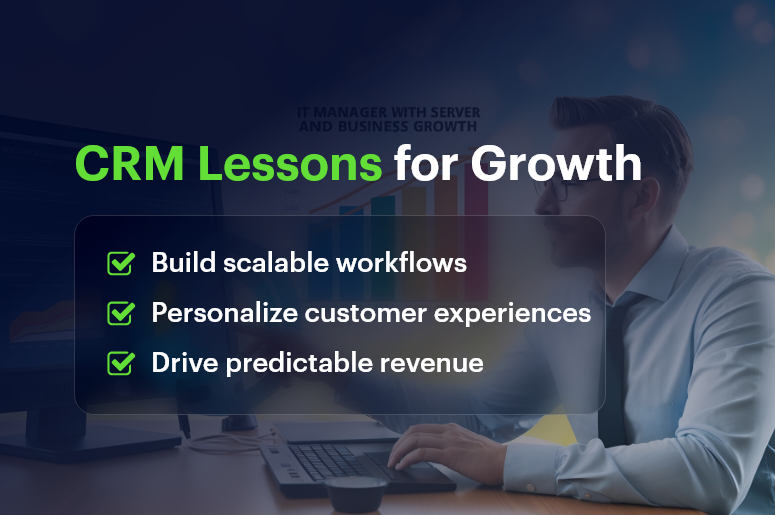
CRM Lessons for Growth

Why CRM Is Key to Business Growth

The difference between businesses that grow and businesses that stall? Systems.

Without a CRM, teams scramble for data. Sales and marketing aren’t aligned. Reporting is manual. Customers don’t get the experience they expect. And ultimately, growth becomes unsustainable.

Here’s how CRM systems change that:

  • Data unification: Everyone works from the same set of real-time data.
  • Lead nurturing: Follow-ups are automated, timely, and personalized.
  • Pipeline visibility: Sales leaders can forecast accurately and manage performance.
  • Customer retention: Support teams can track issues and history with ease.

Whether you’re in manufacturing, retail, or professional services, a modern CRM solution brings structure and speed to your operations. Add ERP integration, and you now have a powerful control center that handles customer relationships and backend processes like billing, support, and reporting.

Best Practices: How Top Performers Scale with CRM

Industry leaders don’t just use CRMs. They use them strategically.

1. Start With a Clear CRM Strategy

  • Define what you want to achieve: More leads? Higher conversion? Better retention?
  • Identify the KPIs that will measure success
  • Map your customer journey and build CRM workflows around it

Pro tip: Don’t just replicate existing chaos in digital form. Use CRM setup as a chance to redesign for growth.

2. Standardize Processes Early

  • Create clear deal stages and customer lifecycle steps
  • Use custom fields to capture the right data for your business
  • Automate repetitive actions (follow-ups, reminders, status changes)

3. Integrate Your ERP or Back-Office Tools

  • Sync CRM with invoicing, inventory, and support tools
  • Eliminate double entry and data errors
  • Gain full visibility into customer value, orders, and outstanding issues

4. Prioritize User Adoption

  • Train every department on why and how to use the CRM
  • Create user guides, shortcuts, and templates for ease
  • Appoint CRM champions in each team

5. Track and Optimize Over Time

  • Set up dashboards for sales, support, and marketing performance
  • Analyze conversion bottlenecks and optimize workflows
  • Regularly clean and segment your CRM data

Quick Wins You Can Apply Today:

  • Add lead scoring to prioritize hot prospects
  • Set up automated welcome emails or drip campaigns
  • Use @mentions and task assignments for team collaboration

How CRM + ERP Integration Fuels Smarter Scaling

Scaling with CRM gets even more powerful when it talks to your ERP system.

Instead of juggling tools, you can:

  • Automate billing and invoicing as soon as deals close
  • Sync inventory and availability for sales teams
  • Track project delivery and customer communication in one view
  • Offer smarter support, backed by order and ticket history

By bridging front-office and back-office operations, CRM + ERP gives your team end-to-end clarity.

Industry Example: Scaling With CRM in Action

For example, Spartek Electricals, a mid-sized manufacturing company, used CRMLeaf to scale sales and service across three locations.

The Challenge:

  • Disconnected tools for leads, support, and order tracking
  • Manual handoffs between sales and billing
  • No visibility into support tickets post-sale

The Solution:

  • Implemented CRMLeaf with ERP integration
  • Set up automated workflows for sales to billing
  • Unified sales, service, and support data

The Result:

  • 35% faster deal closures
  • 60% fewer support escalations
  • 100% visibility into customer lifecycle

Key Takeaways

Scaling with CRM isn’t about adding software. It’s about building a smarter, faster, more customer-centric business.

Here’s what top companies get right:

  • They start with clarity. Goals and metrics are defined before software setup.
  • They train their teams well. A tool is only as powerful as its users.
  • They connect their systems. CRM + ERP = fewer silos, faster workflows.

Additional quick reminders:

  • Automate what slows you down
  • Keep your CRM data clean and segmented
  • Regularly review your CRM strategy every quarter

When used right, CRM becomes the engine that powers sales, support, and smart decisions. And that’s exactly how industry leaders stay ahead.

How Local Governments Use CrmLeaf: A Complete Guide to Solar CRM

“Over 180 cities worldwide have committed to 100% renewable electricity — driving policies, creating demand for solar, and delivering healthier communities.”

Across the globe, renewable energy is no longer a choice — it is a necessity. Local governments, municipalities, and city councils are on the frontlines of climate action, leading ambitious projects such as rooftop solar programs, community solar initiatives, and utility-scale renewable energy parks.

Yet the road from policy to execution is often riddled with obstacles. Governments face unique challenges: limited administrative staff, budget constraints, complex compliance regulations, and increasing demands from citizens for transparency and accountability.

This is where Solar CRM steps in, helping authorities streamline processes, track progress, and deliver results faster.

Challenges in Solar CRM for Local Governments

Running a solar program is not just about installing panels. It involves planning, coordination, compliance, and reporting at multiple levels. Some of the most common challenges include:

1. Complex Stakeholder Management

Municipalities must coordinate with EPC contractors, OEMs, consultants, subsidy agencies, and citizens. Without a centralized system, miscommunication and project delays are inevitable.

2. Compliance and Reporting

Solar projects involve subsidies, tax benefits, PF/ESI/TDS compliance, and environmental reporting. Manual processes often result in errors, delays, and penalties.

3. Budget Oversight

Funding usually comes from multiple sources — state, federal, international aid, or private partnerships. Without proper tracking, utilization and forecasting become overwhelming.

4. Citizen Trust and Transparency

Citizens expect timely project updates, accurate subsidy distribution, and clear communication. Failure here erodes trust in government initiatives.

5. Technology Gaps

Many local governments still rely on spreadsheets or outdated tools that cannot handle the scale and complexity of renewable energy programs.

Why Governments Choose CrmLeaf for Solar CRM

Unlike generic CRMs or project trackers, CrmLeaf is purpose-built for solar industry. It simplifies complexity, ensures compliance, and creates transparency across all stakeholders.

Key advantages include:

  • Digitization of Processes → Replace paper-based approvals and manual entries with automated workflows.
  • Real-Time Dashboards → Track every solar project by district, department, or contractor.
  • Audit-Ready Reports → Generate PF, ESI, TDS, and compliance documents in minutes.
  • Vendor & Contractor Collaboration → Centralized platform to track deliverables and vendor performance.
  • Citizen-Centric Engagement → Citizens receive timely updates, reducing disputes and mistrust.
  • Budget & Fund Tracking → Monitor fund allocation, forecast expenses, and ensure transparency.

Core Features of CrmLeaf Solar CRM

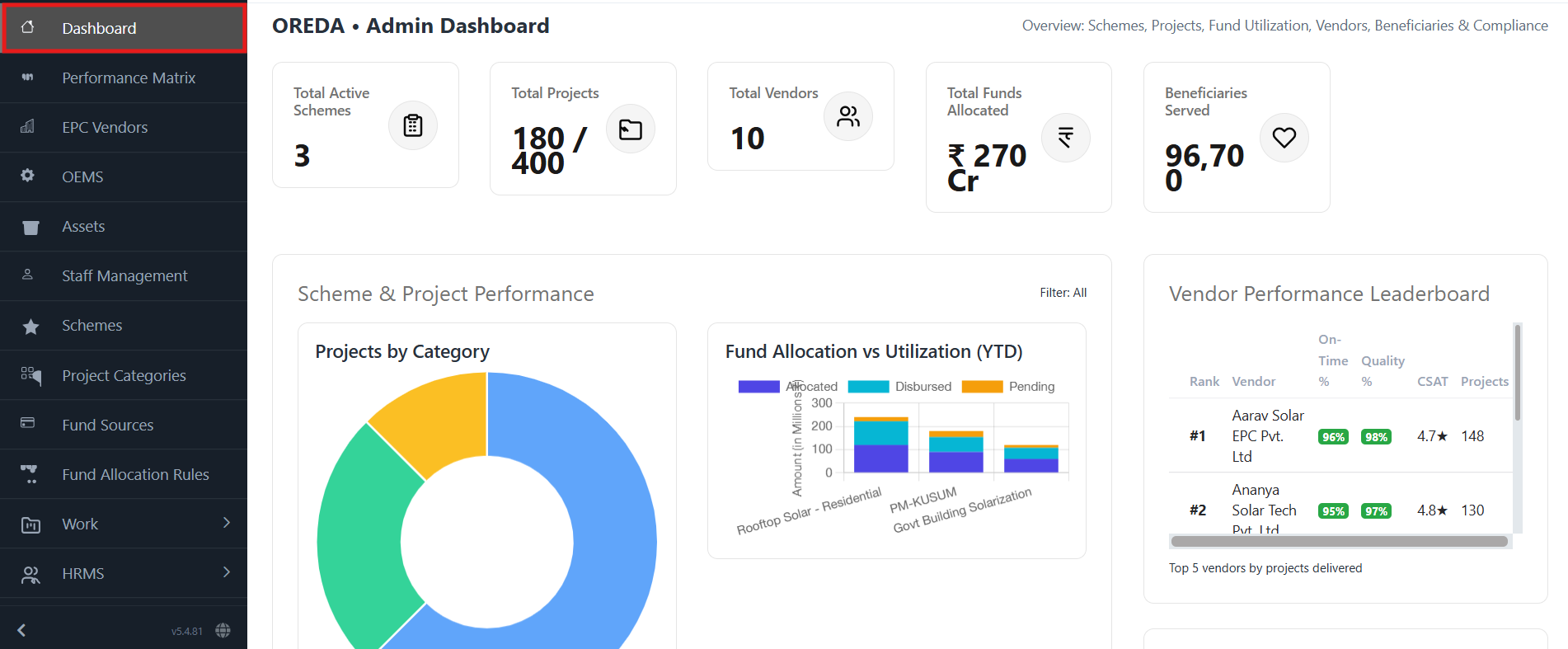
  • Centralized Solar Dashboard – Real-time project visibility with color-coded progress indicators.

Solar CRM Dashboard

  • Subsidy & Incentive Management – Automate approvals and ensure accurate, error-free subsidy distribution.
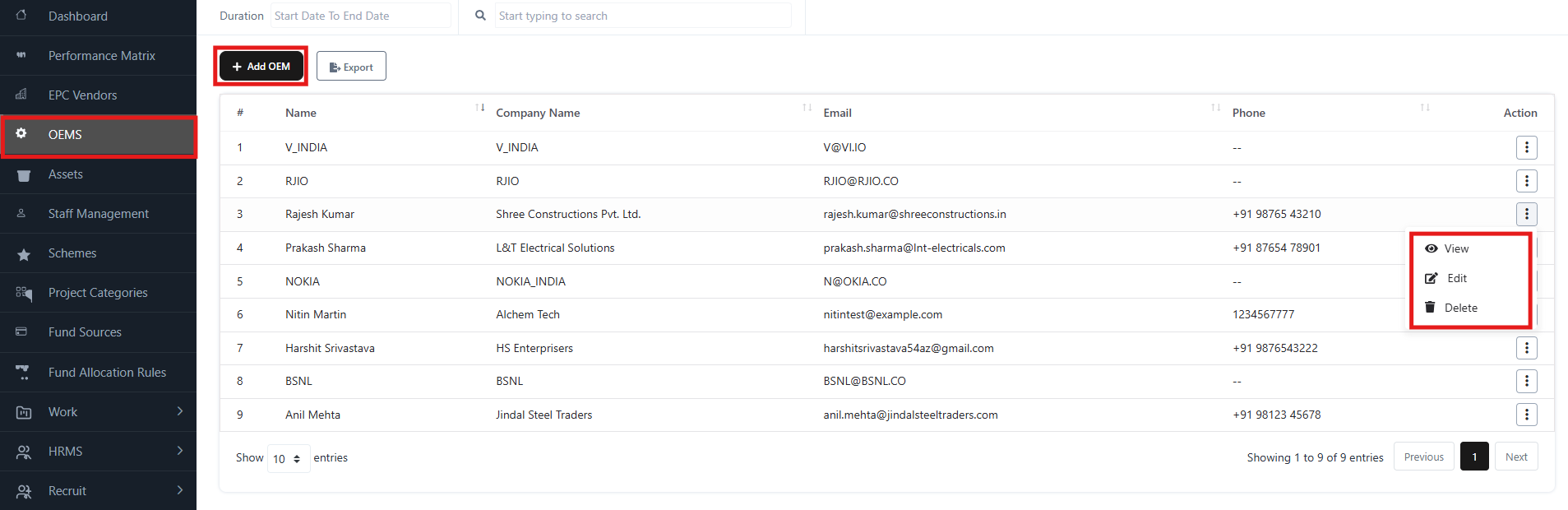
  • EPC Vendor & OEM Oversight – Monitor contracts, deadlines, and quality metrics across multiple vendors.

OEM Oversight

  • Compliance & Regulatory Reporting – Ready-to-use templates ensure penalty-free audits.
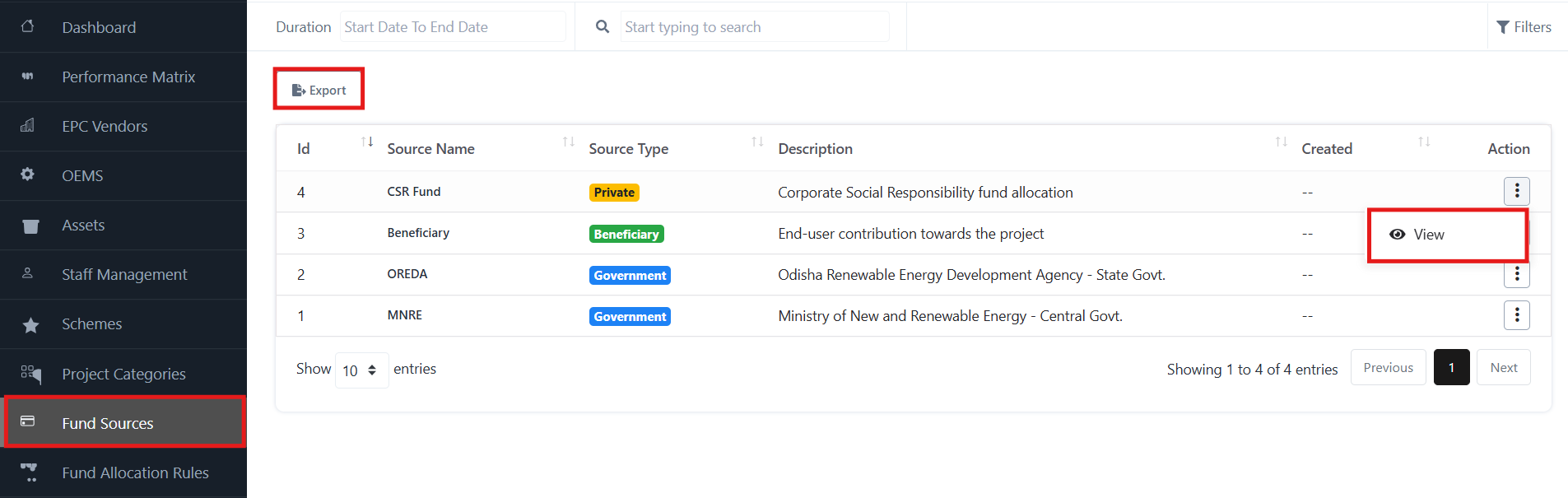
  • Budget Tracking & Forecasting – Predict fund requirements and prevent over-expenditure.

Budget tracking & forecasting

  • Citizen Engagement Portal – Keep the public informed on project timelines and benefits.

Real-World Use Case: A German Company’s Success with CrmLeaf

A leading renewable energy company in Germany recently implemented CrmLeaf to manage the installation of a large-scale solar power generation system.

The Challenge

The company needed to oversee multiple projects across regions, coordinate with EPC vendors, manage subsidy claims, and meet strict EU compliance regulations — all while maintaining transparency for both investors and customers.

The Solution

By adopting CrmLeaf Solar CRM, the company was able to:

  • Consolidate all solar projects into a single dashboard for real-time monitoring.
  • Automate subsidy and incentive distribution, reducing processing time by 40%.
  • Standardize reporting for EU compliance, avoiding penalties and delays.
  • Improve collaboration with EPC vendors through centralized contract management.
  • Provide customers with a citizen-style portal showing installation progress and estimated energy savings.

The Outcome

Within just 12 months, the German company successfully completed its solar installation projects ahead of schedule, with 20% cost savings and improved customer satisfaction ratings. CrmLeaf not only simplified operations but also gave stakeholders confidence in the transparency and accountability of the program.

This success story shows that whether it’s a local government in India or a private renewable firm in Europe, CrmLeaf adapts to diverse project needs while ensuring compliance, efficiency, and sustainability.

Benefits of Using CrmLeaf in Governance

  • Efficiency Gains – Automate repetitive tasks and save hundreds of man-hours.
  • Improved Transparency – Citizens, investors, and auditors receive accurate, reliable data.
  • Better Collaboration – Departments, vendors, and contractors work on one unified platform.
  • Higher Citizen Satisfaction – Timely updates and fast processing improve trust.
  • Future-Ready System – Scalable architecture prepared for AI, IoT, and smart grid integration.

Frequently Asked Questions (FAQs)

1. How is CrmLeaf different from other CRMs?
CrmLeaf is purpose-built for solar industry, offering modules for subsidies, EPC oversight, and compliance reporting.

2. Can small municipalities use CrmLeaf, or is it only for large cities?
CrmLeaf is scalable. From small towns managing rooftop programs to large cities overseeing hundreds of projects, it adapts to all needs.

3. Does CrmLeaf support multi-department collaboration?
Yes. Finance, sustainability, engineering, and citizen engagement teams can all work together seamlessly.

4. How does CrmLeaf improve subsidy distribution?
It automates allocation, eliminates errors, and generates audit-ready reports for every disbursed subsidy.

5. Can CrmLeaf integrate with existing systems?
Absolutely. CrmLeaf integrates with ERP solutions, payment gateways, and compliance tools.

Conclusion: Solar CRM that Empowers Governments

The shift to renewable energy is not just about climate — it’s about governance, trust, and execution. By adopting CrmLeaf, governments and renewable enterprises can:

  • Deliver solar projects faster
  • Stay compliant and penalty-free
  • Manage funds with full accountability
  • Build citizen and stakeholder trust

With CrmLeaf Solar CRM, governments and enterprises move beyond managing projects — they become leaders in building a sustainable future.

Managing Remote Teams: Attendance & Time Tracking Best Practices

Did you know that companies lose over 20% in productivity due to poor time tracking in remote teams? With the rise of hybrid and distributed workforces, managing remote teams effectively is no longer optional — it’s a business-critical priority.

For operations managers, HR leaders, and business owners, keeping remote teams accountable, compliant, and productive means adopting smart attendance and time tracking best practices. In this blog, you’ll learn how to implement simple yet powerful systems that streamline team monitoring, reduce time theft, and create a transparent work culture.

Let’s dive into the key challenges, proven strategies, and tools that can help you manage remote teams with confidence and clarity.

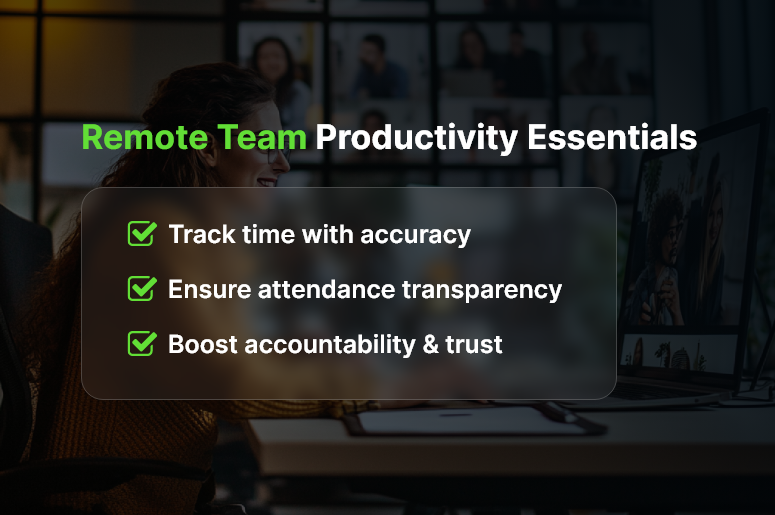
Remote Team Productivity Essentials

Why Attendance & Time Tracking Matters for Remote Teams

Remote work has transformed how teams operate. But with that flexibility comes real challenges:

  • Lack of visibility into daily work patterns makes it hard for managers to know who is working, when, and for how long.
  • Compliance risks arise when overtime, breaks, or shift timings aren’t properly documented.
  • Productivity gaps appear when employees don’t have structured workdays or clear check-in systems.

Industries like IT services, digital marketing, and customer support are especially vulnerable, as their workforce is often global and asynchronous. Without robust attendance and time tracking, these businesses may face delays, missed deadlines, and even legal penalties.

For growing companies, investing in real-time time tracking and centralized tools isn’t a luxury — it’s how you stay agile and competitive.

Best Practices to Track Attendance and Time in Remote Teams

For managing remote teams effectively, here are the best practices that leading companies follow:

1. Use a Centralized Time Tracking Tool

Instead of juggling spreadsheets or manual logs, adopt a cloud-based time tracking software that integrates with your HR and payroll systems. CRMLeaf’s time module lets you monitor work hours, breaks, and overtime from one dashboard — with automated reporting.

2. Set Clear Expectations Around Work Hours

Let employees know the expected number of hours, availability windows, and how to log time correctly. This reduces misunderstandings and builds mutual accountability.

3. Implement Automated Attendance Monitoring

Use biometric integrations, GPS tracking, or IP-based logins to capture attendance passively. CRMLeaf provides rule-based automation to flag irregular check-ins and send reminders.

4. Encourage Daily Check-Ins or Standups

Simple daily rituals like a morning Slack message or 10-minute team huddles help foster presence and structure. These micro-habits improve communication and team alignment.

5. Enable Self-Service Dashboards for Employees

Give employees access to their own attendance logs and leave balances. This transparency empowers them to track their hours and stay compliant with ease.

6. Sync Time Tracking with Payroll & Invoicing

Integrate your attendance tracking with payroll and billing. CRMLeaf seamlessly maps timesheets to payroll, minimizing manual reconciliation and reducing errors.

7. Customize Rules Based on Time Zones

If your team works across geographies, set time zone-based rules for shifts, holidays, and availability. CRMLeaf’s smart calendar allows local customization while maintaining a global view.

8. Track Project-Based Time Logs

Go beyond punch-in/out. Enable your team to log hours against specific projects or tasks. This gives you deeper insights into employee productivity and project ROI.

9. Stay Compliant with Labor Laws

Make sure your attendance system includes built-in compliance with local labor laws — like mandatory breaks or maximum weekly hours. CRMLeaf’s compliance engine helps you stay ahead of audits.

10. Analyze Time Data for Continuous Improvement

Use analytics to identify trends, bottlenecks, or productivity dips. With CRMLeaf, you can generate customized reports that highlight idle time, peak performance windows, and more.

Customer Success Spotlight

For example, Zenith Support Co., a BPO provider, struggled with inaccurate time logs across its distributed customer service teams.

After implementing CRMLeaf’s attendance and time tracking module, they reduced absenteeism by 25%, improved payroll accuracy by 40%, and saved 30+ hours per month in manual corrections.

By connecting time data directly to payroll and performance tracking, the company eliminated redundancy and improved employee trust.

Key Takeaways & Final Thoughts

Managing remote teams requires a proactive and tech-enabled approach to attendance and time tracking. With the right systems and culture, businesses can increase transparency, reduce compliance risks, and create happier, more productive teams.

  • Adopt centralized tools like CRMLeaf for real-time visibility and reduced manual work.
  • Establish clear time policies and communicate expectations across time zones.
  • Automate compliance tracking to avoid penalties and legal troubles.
  • Enable project-based time tracking for better cost management and accountability.

To stay ahead, make attendance and time tracking a strategic part of your HR and operations playbook — not just an admin chore.

FAQ

1. Why is time tracking important for remote teams?
Time tracking ensures accountability, transparency, and compliance across distributed teams. It helps managers monitor productivity, avoid time theft, and comply with labor laws, while giving employees clarity on their logged hours.

2. How can automated attendance systems reduce errors?
Automated systems eliminate manual entry mistakes by using biometric logins, GPS tracking, or IP-based attendance. They flag irregularities instantly and generate accurate records for payroll and audits.

3. What features should I look for in a remote time tracking tool?
Look for centralized dashboards, project-based time logs, payroll integration, compliance support, and self-service employee access. Tools like CRMLeaf combine all of these in one platform.

4. How do time tracking tools support compliance with labor laws?
Modern solutions come with built-in compliance engines that track mandatory breaks, overtime, and maximum work hours. This helps businesses avoid penalties and stay audit-ready.

5. Can time tracking improve employee trust and engagement?
Yes. Transparent self-service dashboards give employees control over their attendance and leave records. When paired with clear policies, this builds trust and improves engagement in remote teams.

How to Automate Candidate Screening & Shortlisting?

Hiring managers spend an average of 23 hours screening resumes for a single hire. That’s time lost that could be spent interviewing, engaging top talent, or closing offers faster. If you’re still manually reviewing every resume, you’re slowing down your hiring pipeline and increasing the risk of overlooking top candidates. It’s time to rethink your approach. In this blog, we’ll show you how to automate candidate screening and shortlisting using modern HR tech and intelligent workflows. Whether you’re a growing startup or an established HR team, these insights will help you reduce bias, save time, and consistently hire the right people.

Why Automating Candidate Screening & Shortlisting Matters

For fast-growing companies, the volume of applications can quickly become unmanageable. Manual shortlisting may work for 10 applicants — not for 300. And with the pressure to hire quickly while staying compliant and inclusive, automated candidate screening has become more than just a convenience.

Let’s take a look at why automation matters:

  • Speed is critical in talent acquisition. If your screening process takes too long, top candidates might accept offers elsewhere before you even send an interview invite.
  • Manual processes introduce unconscious bias. Automation helps standardize evaluations based on skills, not assumptions.
  • Hiring costs increase with inefficiencies. Redundant resume reviews and rework during interviews impact both time and money.

Industries like IT services, retail, and healthcare especially benefit from automating screening due to their high-volume hiring cycles. For them, smarter tools mean faster onboarding and less administrative chaos.

That’s where an integrated recruitment platform like CrmLeaf truly shines.

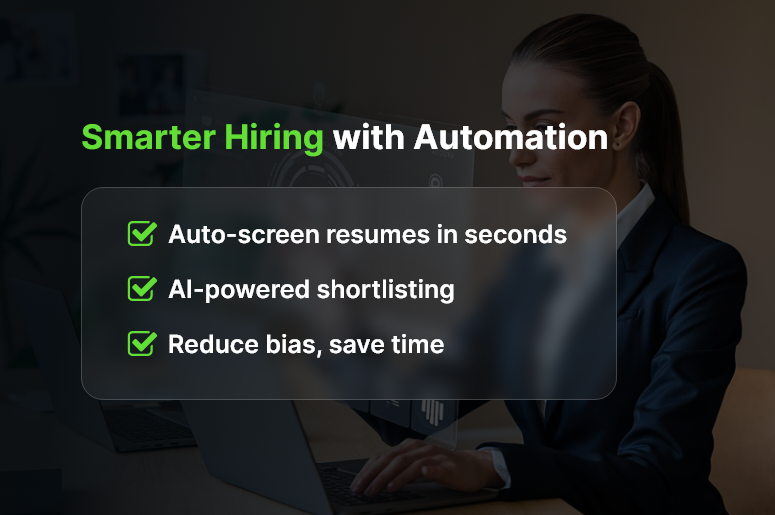
Smarter Hiring with Automation

Best Practices to Automate Candidate Screening & Shortlisting

Want to automate your hiring workflow? Start with these proven best practices:

1. Use Resume Screening Software with AI Capabilities

Don’t just scan for keywords. Intelligent resume parsers in CrmLeaf can extract and match skills, experience, and qualifications to your job descriptions. This reduces reliance on manual sorting and eliminates irrelevant profiles early.

2. Set Up Role-Based Shortlisting Criteria

Define job-specific screening rules like years of experience, certifications, education, and location. CrmLeaf’s rule engine automatically scores and ranks applicants based on these conditions so your hiring team only reviews the most relevant ones.

3. Integrate Pre-Screening Questionnaires

Custom screening forms help filter candidates based on dealbreakers. You can auto-reject applicants who don’t meet minimum criteria (e.g., work authorization or language fluency), saving your HR team from wasted follow-ups.

4. Score Candidates Using Weighted Metrics

Assign different weights to skills, education, domain knowledge, or work history. CrmLeaf’s automated scoring system allows configurable shortlisting logic that aligns with your company’s hiring priorities.

5. Automate Interview Scheduling for Shortlisted Candidates

Once applicants pass the first screen, CrmLeaf can automatically send calendar invites, reducing time spent on back-and-forth coordination. Interviewers can view candidate profiles, notes, and feedback all in one place.

6. Use Collaboration Tools for Team-Based Evaluations

Enable recruiters, hiring managers, and department heads to leave feedback directly on candidate profiles. CrmLeaf keeps the process transparent and reduces delays by centralizing communication.

7. Track and Analyze Hiring Funnel Metrics

Understand where drop-offs occur, which channels bring better applicants, and which criteria consistently identify top performers. CrmLeaf’s dashboards provide end-to-end visibility.

8. Enable Auto-Rejection with Personalized Responses

Keep candidate experience high, even when rejecting. CrmLeaf lets you send custom rejection messages triggered by pre-defined screening logic — so no one feels ghosted.

Customer Success Snapshot

For example, Optima Fintech, a mid-sized BFSI company, used CrmLeaf’s candidate screening automation to reduce manual resume reviews by 80%. Their average time-to-interview dropped from 6 days to 2 days, and hiring team satisfaction scores improved by 35%.

They configured weighted scoring rules for each role, streamlined their applicant tracking system, and enabled self-scheduling for interviews — leading to faster, smarter hiring decisions.

Key Takeaways & Final Thoughts

Automating candidate screening and shortlisting is no longer optional for businesses that want to grow efficiently. By using an intelligent recruitment CRM like CrmLeaf, your HR team can:

  • Save hours per hire by eliminating repetitive screening tasks
  • Improve hiring accuracy by scoring candidates objectively
  • Streamline collaboration between departments involved in hiring
  • Enhance the candidate experience with timely updates and fast responses

Whether you’re hiring five people a month or fifty, building automation into your process gives you a competitive advantage.
Don’t wait for your hiring bottlenecks to cost you your next great hire. The smarter you screen, the better you hire.

FAQs

1. Why should companies automate candidate screening?

Automation reduces manual effort, eliminates bias, and speeds up the hiring process. Instead of spending hours reviewing resumes, recruiters can focus on engaging top candidates and making better hiring decisions.

2. How does automated resume screening work in CrmLeaf?

CrmLeaf uses intelligent AI-driven resume parsers that extract skills, qualifications, and experience, then match them with role requirements. This ensures irrelevant profiles are filtered out early in the hiring funnel.

3. Can automation help reduce unconscious bias in hiring?

Yes. By standardizing evaluation criteria such as skills, certifications, or experience, automation minimizes the risk of bias that often comes with manual screening.

4. What industries benefit most from automated candidate screening?

High-volume hiring industries like IT services, healthcare, retail, and BFSI benefit significantly. Automation helps them process hundreds of applications quickly without compromising on quality.

5. Is automated shortlisting customizable for different roles?

Absolutely. CrmLeaf allows role-based shortlisting rules, weighted scoring, and pre-screening questionnaires, making it flexible for any department or role.

6. How does CrmLeaf handle interview scheduling?

Once candidates are shortlisted, CrmLeaf can automatically send calendar invites, eliminating back-and-forth coordination and improving the candidate experience.

7. Will automation negatively impact candidate experience?

Not at all. With features like personalized rejection emails and faster responses, automation actually improves candidate engagement and prevents them from feeling “ghosted.”

8. How does automation improve collaboration between hiring teams?

CrmLeaf centralizes candidate profiles, notes, and feedback in one place, enabling recruiters, managers, and department heads to collaborate transparently and make quicker decisions.

9. Can I track performance of my hiring funnel with automation?

Yes. CrmLeaf provides dashboards to analyze funnel metrics — like time-to-hire, drop-off points, and best applicant sources — helping you continuously improve hiring efficiency.

10. Is CRMLeaf suitable for small businesses as well as large enterprises?

Yes. Whether you hire 5 people or 500, CrmLeaf scales with your hiring needs. Startups benefit from saved time, while enterprises gain consistency and compliance in high-volume recruitment.