Permit Statuses
Overview
The Permit Statuses section in the Solar module helps track and manage the lifecycle of permits required for solar installations. By defining various statuse such as “Awaiting Approval,” “Approved,” or “Rejected,” businesses can efficiently monitor the progress of permit applications and stay compliant with utility and municipal requirements.
Why Permit Statuses?
Permit Statuse are essential for:
- Standardizing the tracking of permit processes across projects.
- Providing visibility into pending, approved, rejected, or expired permits.
- Improving project scheduling by ensuring permit readiness.
- Streamlining communication with stakeholders on permit progress.
Accessing Permit Statuses
- Log in to the application.
- From the left navigation menu, go to Solar → Settings.
- Select Permit Statuse from the list.
Module Structure
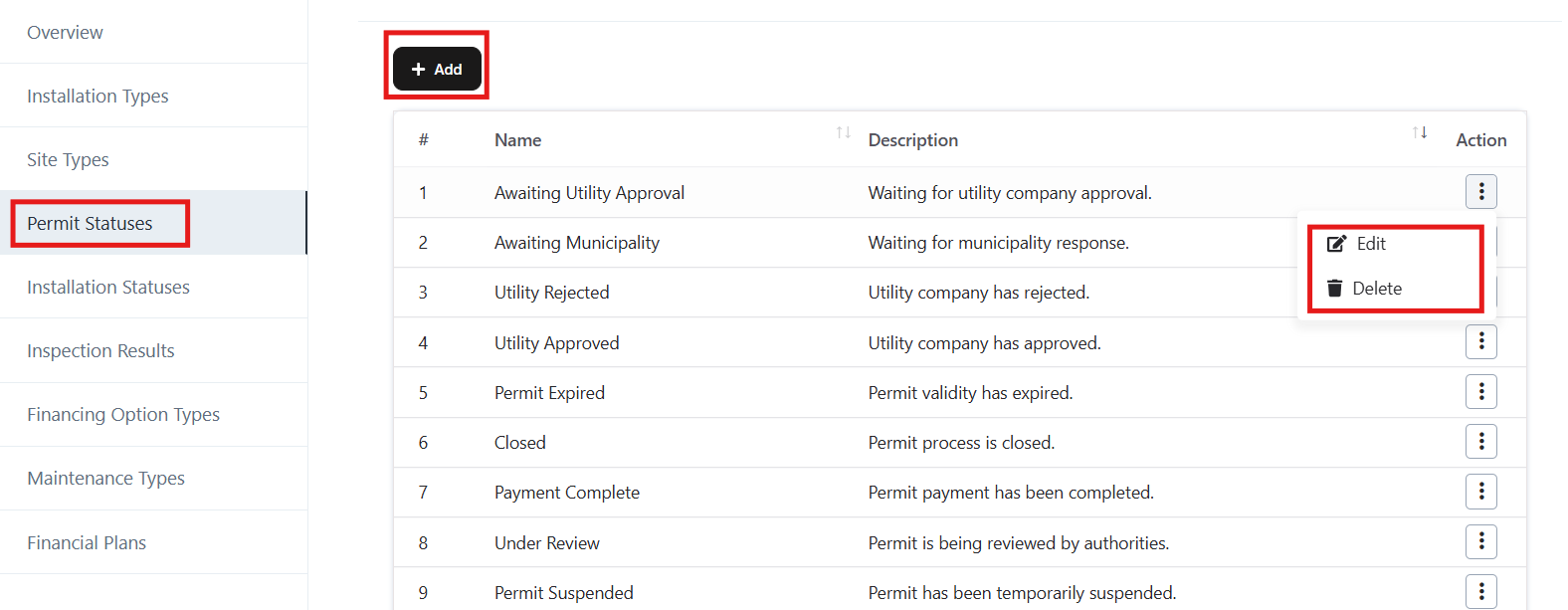
Permit Status List
- Displays all permit statuse with Name and Description.
- Provides Action options for each permit status:
- Edit – Update the details of an existing permit status.
- Delete – Remove a permit status from the system.
Navigation Path:
Login ➜ Solar ➜ Settings ➜ Permit Statuses
Add a New Permit Status
- Click on the Add button.
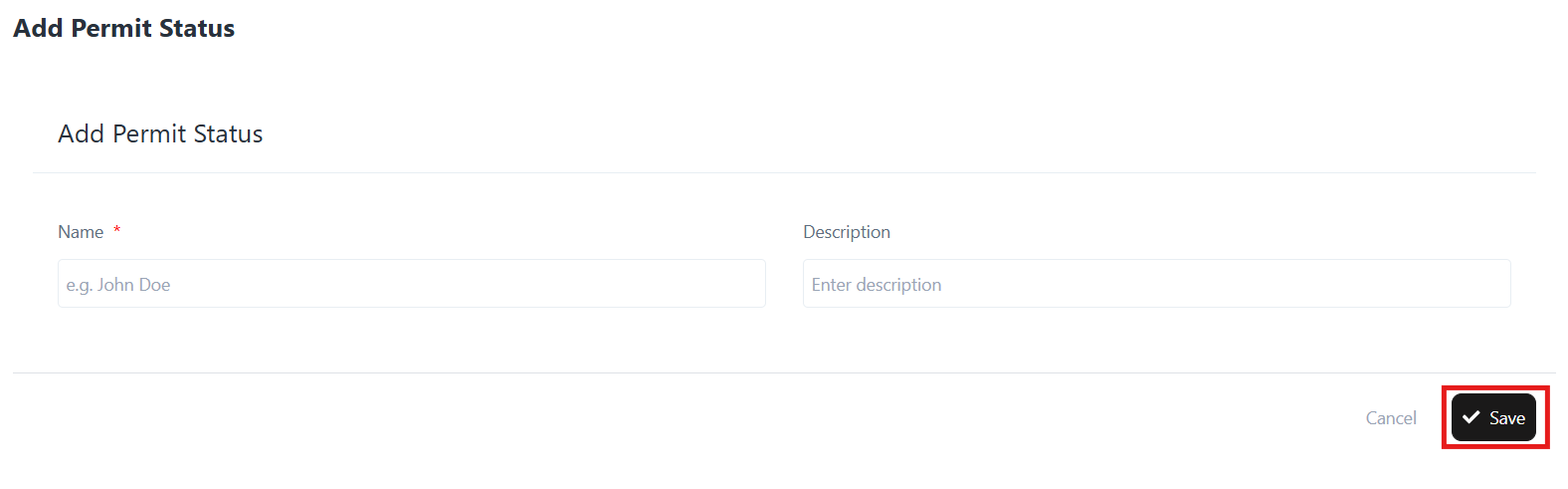
- Enter the following details:
- Name – Define the status (e.g., Awaiting Utility Approval).
- Description – Provide details about the status (e.g., Waiting for utility company approval).
- Click Save to create the new permit status.
Edit an Existing Permit Status
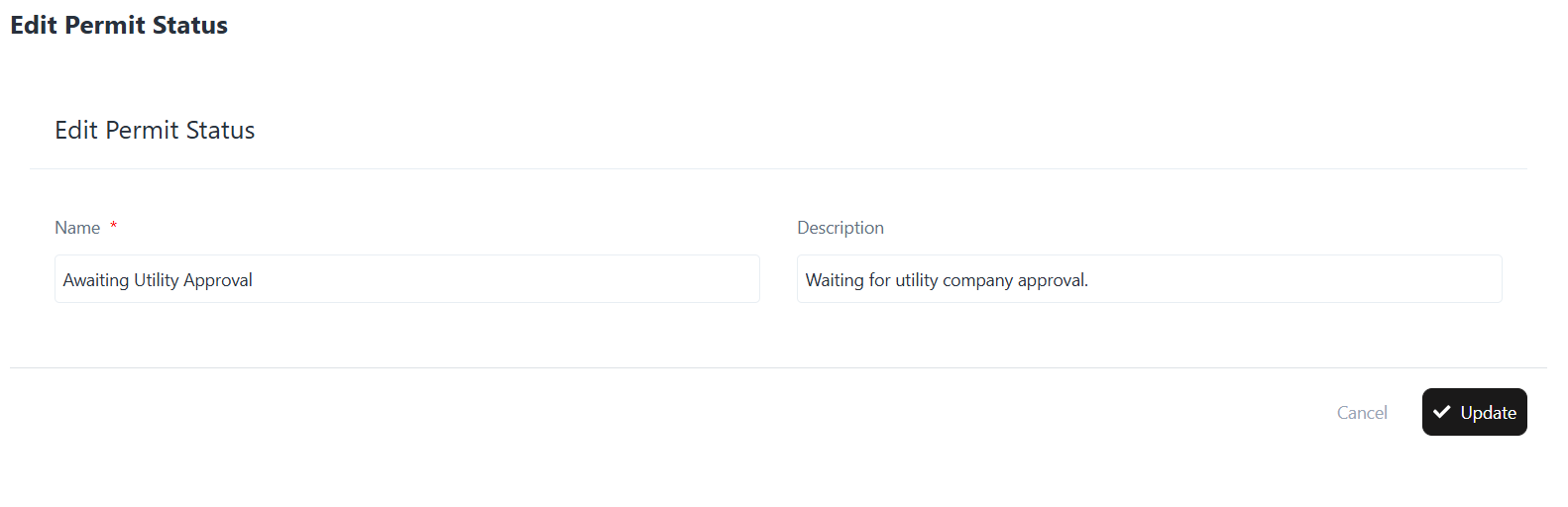
- From the Permit Status list, click the Edit option under Actions.
- Update the required details (Name, Description).
- Click Update to save the changes.
Delete a Permit Status
- From the Permit Status list, click the Delete option under Actions.
- Confirm the action to permanently remove the permit status.