Financing Option
This guide explains how to manage Financing Option Types in the system. You can add, edit, or delete different financing options to match your project requirements.
1. Accessing Financing Option Types
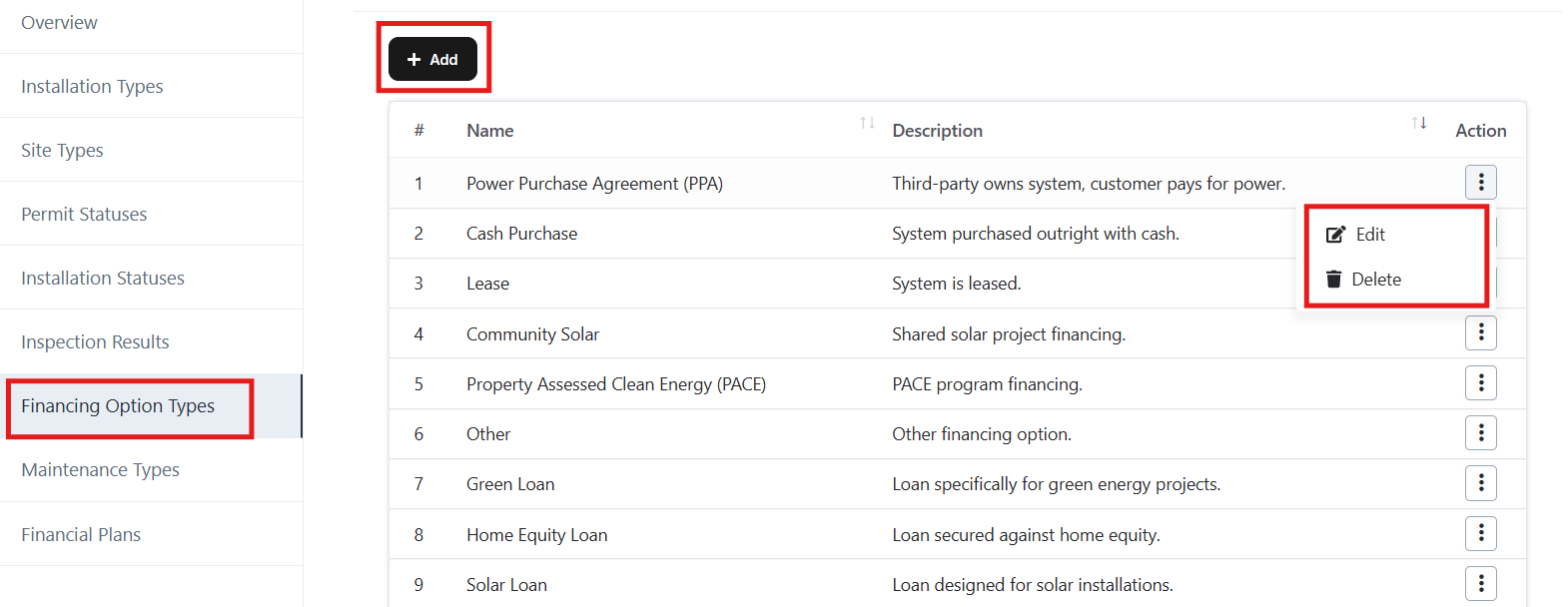
- From the left sidebar menu, go to Settings → Financing Options Types.
- A list of existing financing options will be displayed with columns for:
- # – Serial number of the entry.
- Name – Financing options name.
- Description – A short explanation of the option.
- Action – Options to Edit or Delete.
2. Adding a Financing Option Type
- Click the + Add button at the top.
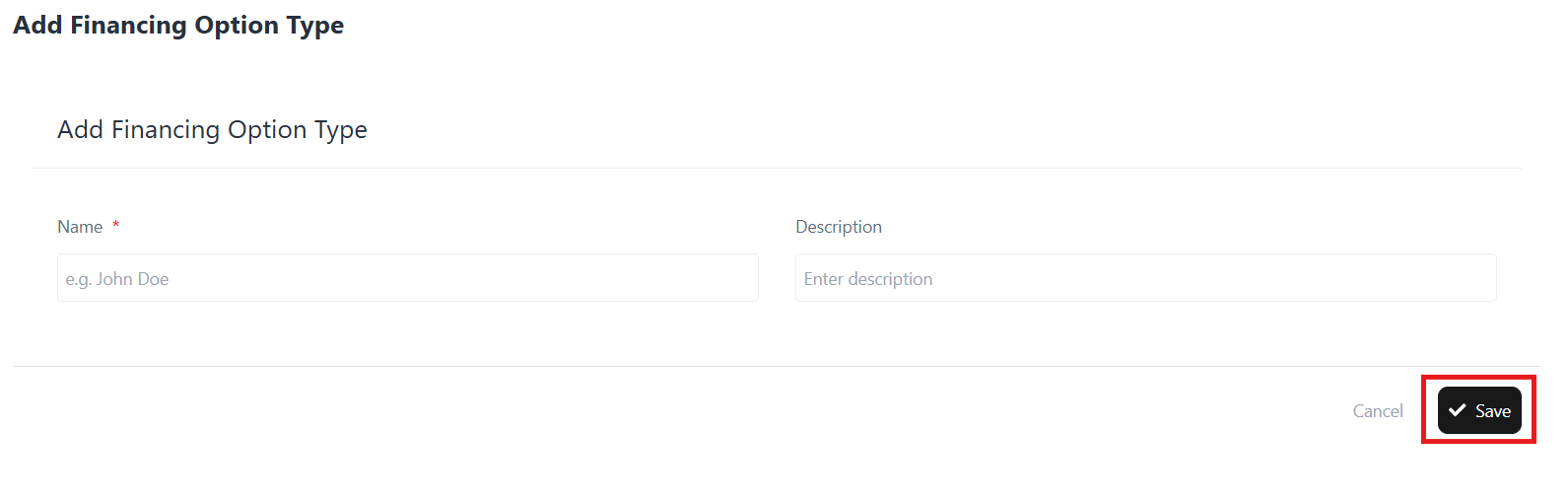
- The Add Financing Options Type form will open.
- Enter the following details:
- Name (Required) → Example: Cash Purchase, Lease, Green Loan.
- Description → Short explanation of the financing options.
- Click Save to add the new financing options.
3. Editing a Financing Option Type
- In the Action column, click the three dots (…) beside the financing options you want to update.
- Select Edit.
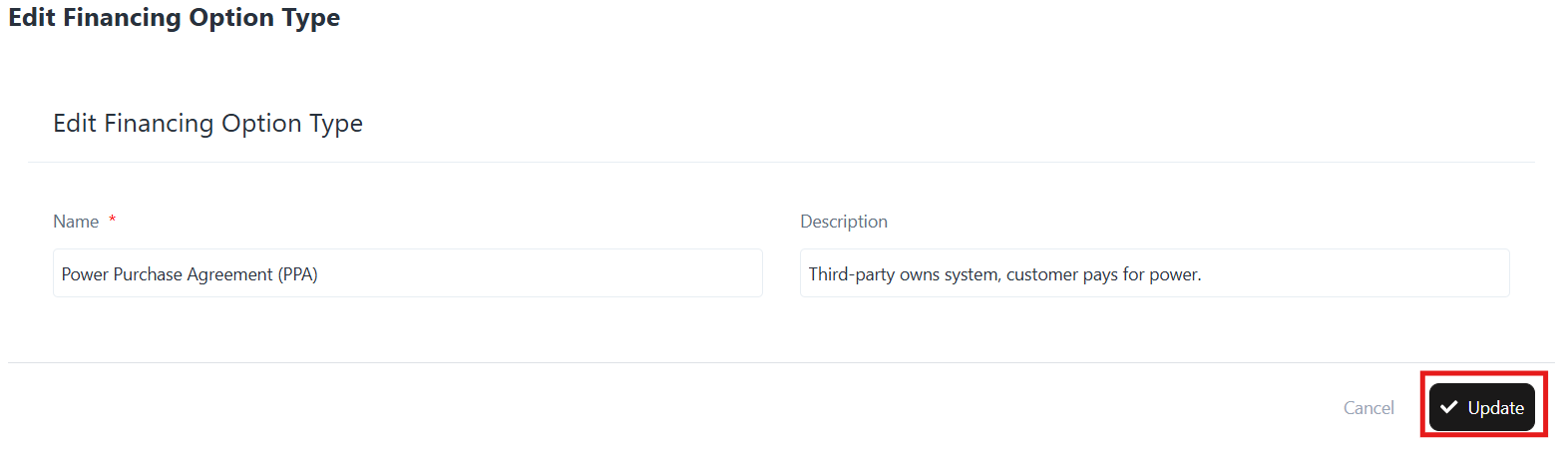
- The Edit Financing Options Type form will appear.
- Modify the Name or Description as needed.
- Click Update to save changes.
4. Deleting a Financing Option Type
- In the Action column, click the three dots (…) beside the financing options you want to remove.
- Select Delete.
- Confirm the deletion when prompted.
Note: Once deleted, the option cannot be recovered.
5. Example Financing Options
- Power Purchase Agreement (PPA): Third-party owns system, customer pays for power.
- Cash Purchase: System purchased outright with cash.
- Lease: System is leased.
- Community Solar: Shared solar project financing.
- PACE (Property Assessed Clean Energy): Financing tied to property taxes.
- Green Loan: A Loan for green energy projects.
- Home Equity Loan: A Loan secured against home equity.
- Solar Loan: A Loan designed for solar installations.