Lead Scoring 101: How to Prioritize Leads for Maximum ROI

More Leads is not More Revenue — Unless You Know Who to Prioritize! You’ve launched successful campaigns, generated a stream of inbound leads, and filled up your CRM system. Sounds great, right? Not always. According to Gleanster Research, only 25% of leads are legitimate and should move on to sales. The rest can clog your pipeline, waste your team’s time, and deflate your ROI. That’s where lead scoring changes the game.

In this blog, we’ll unpack what lead scoring is, why it’s critical for growing businesses, and how to implement it using CRMLeaf’s all-in-one platform that combines customer relationship management, human resource software, and payroll services for small businesses. Whether you’re in tech, logistics, human resource management, or professional services — you’ll learn how to spot the leads that deserve your time and convert them faster.

Why Lead Scoring Matters for Small & Mid-Sized Businesses

Every lead looks promising at first. But without a system to rank and prioritize them, your sales team ends up chasing the wrong opportunities — and missing the right ones. For scaling businesses, this isn’t just inefficient — it’s expensive.

Lead scoring is the process of assigning values to leads based on how well they match your ideal customer and how engaged they are. This helps your sales and marketing teams align, focus on qualified prospects, and move faster on high-converting leads.

Increased Sales Productivity

Sales reps can work smarter using integrated customer relationship management software, which allows for visibility into employee profiles, lead activity, and prospect engagement.

Marketing Optimization

With CRMLeaf’s all in one HR software, marketing teams can analyze which campaigns are generating the most qualified leads, based on score and interaction, and refine their strategy accordingly.

Better Forecasting & Revenue Visibility

Using a centralized human resource management system integrated with sales data improves decision-making and financial forecasting.

Cross-Team Alignment

Whether your team is managing attendance software, payroll services, or sales leads, CRMLeaf keeps everyone on the same page by combining document management, scoring models, and communication tools in one platform.

Industry Examples:

  • SaaS Companies use lead scoring and document control software to target tech decision-makers who engage with technical specs or legal contracts.
  • Logistics Providers prioritize leads who request quotes and interact with legal document management software related to freight compliance.
  • HR & Payroll Firms qualify leads who engage with content about online payroll services for small business and payroll services near me.
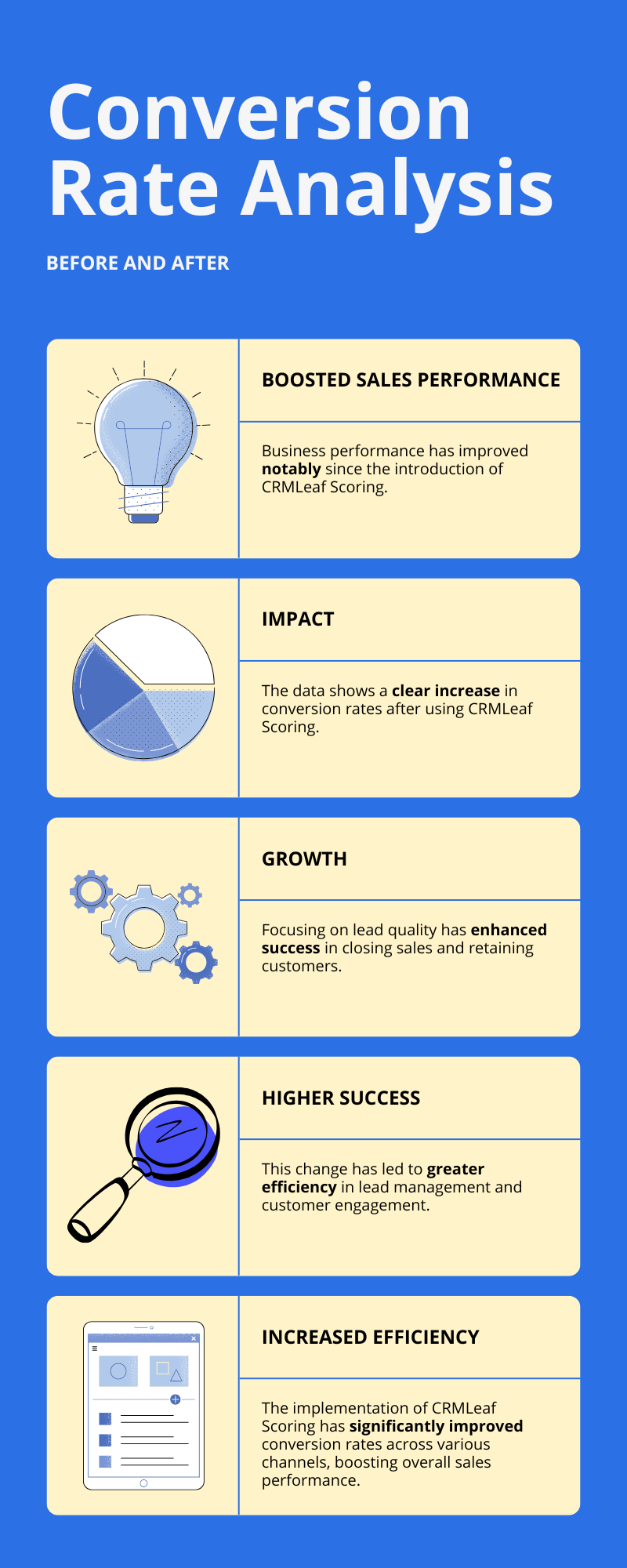
Infographic - Conversion Rate Analysis

Best Practices to Build a High-ROI Lead Scoring Model

Step 1: Define Your Ideal Customer Profile (ICP)

Before you can score leads, you need a clear picture of who your best customers are.

  • Why it matters: A scoring model based on your top customers ensures that you attract and prioritize similar high-value prospects.
  • How to do it: Analyze your most profitable clients using human resource management software or CRM systems and identify traits like job role, company size, and industry.

Pro tip: CRMLeaf allows you to tag existing customer employee profiles, set scoring benchmarks, and build smarter targeting strategies.

Step 2: Set Scoring Criteria Based on Two Dimensions

Demographic or Firmographic Criteria

  • Job Title: Leads in decision-making roles (CEOs, HR Managers, CFOs) who are shopping for best HR software or easy payroll for small business should score higher.
  • Company Size: Companies that require payroll processing companies or have compliance needs often convert at a higher rate.
  • Industry Fit: Whether it’s for customer relationship management, payroll services for one employee, or document management system integration, tailor your scores to your niche.
  • Location: Leads searching “payroll services near me” often have high purchase intent and can be prioritized for quicker follow-up.

Behavioral Criteria

  • Website Behavior: Repeated visits to pricing or service pages (e.g., cost of payroll services for small business) signal buying intent.
  • Email Engagement: Opening emails related to the best payroll service or online payroll services shows engagement and readiness.
  • Content Downloads: Brochures, HR guides, or whitepapers on human resource management systems suggest active evaluation.
  • Form Submissions: A request for a CRM + ERP demo or pricing sheet for online payroll services should be given high value.

CRMLeaf’s scoring engine auto-assigns points to each activity and syncs that data across modules like document management and payroll services.

Step 3: Assign Point Values & Set Thresholds

Assign specific point values to each criterion, creating a scoring framework that is both quantitative and consistent.

Example Scoring Breakdown:

  • Job Title = +15
  • Downloaded Guide on customer relationship management software = +10
  • Opened 3+ Emails = +5
  • Visited “best customer relationship management software” page = +15
  • Unsubscribed from Emails = -10

Once a lead crosses your sales qualification threshold (e.g., 60 points), CRMLeaf will auto-assign a task or notify your rep to follow up.

Step 4: Automate with CRM + ERP

Manual scoring wastes time. CRMLeaf’s intelligent automation ensures that human resource software, attendance software, and CRM systems work together for efficient lead management.

  • Centralize lead activity and sync across HR, sales, and finance using built-in document management system features.
  • Use ERP integrations to consider financial fit (especially useful for prospects evaluating payroll services for small business or the cost of payroll services).
  • Auto-trigger follow-ups and lead nurturing flows for qualified leads.
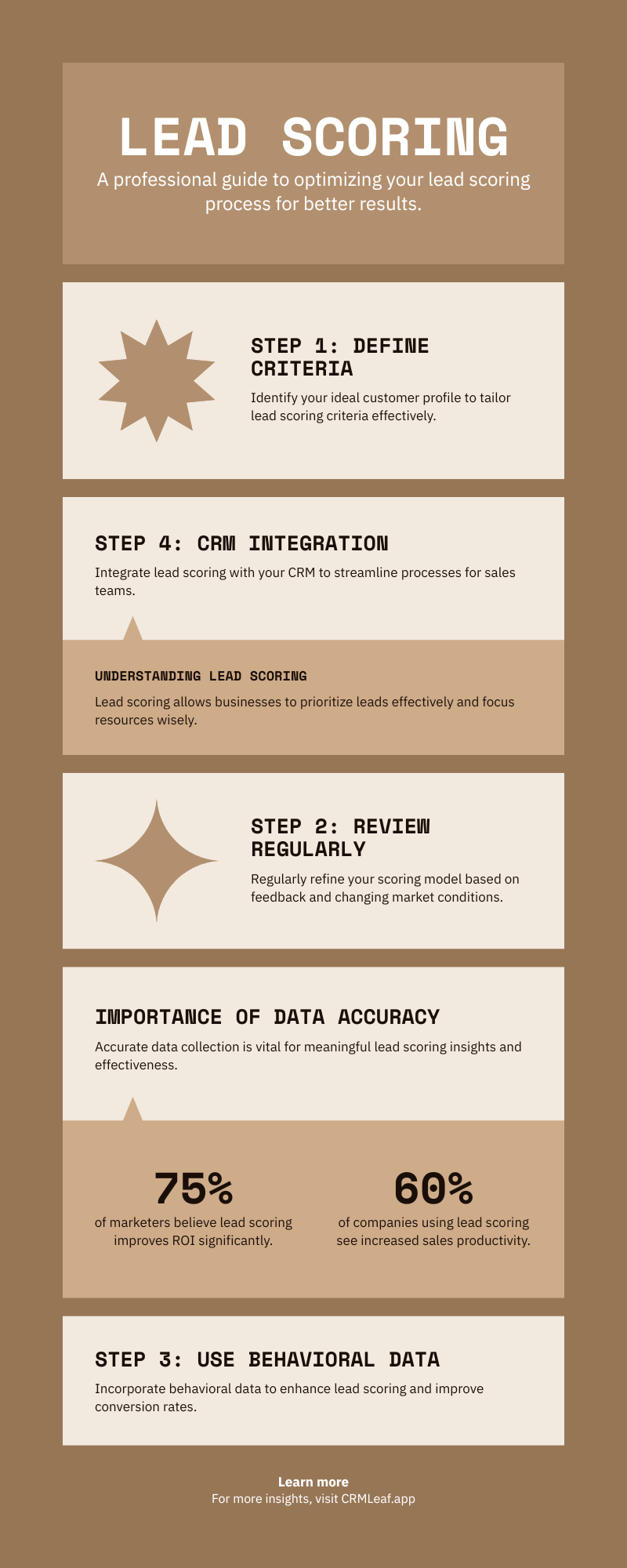
Infographic - Lead Scoring

Step 5: Review and Optimize Regularly

The market changes — so should your scoring model.

  • Audit quarterly: Review closed-won deals and their lead scores. Were they scored correctly?
  • Add new criteria: Track trends like engagement with pages on best customer relationship management software or searches related to “payroll services for one employee.”
  • Adjust weights: Lower points for behaviors that no longer signal high intent (e.g., newsletter signups) and raise points for new high-intent actions like downloads of legal document management software checklists.

Customer Success Snapshot

Case Study: TalentSync — A Fast-Growing HR Tech Startup

Challenge: Their sales team wasted 30% of time on low-quality leads. They also had no visibility into leads evaluating payroll services for small businesses.

Solution: They implemented CRMLeaf’s scoring model and integrated it with online payroll services, employee profile tracking, and CRM systems.

Results:

  • 28% increase in conversion rate
  • Sales cycle reduced by 18 days
  • More alignment between HR, sales, and finance using document management and CRMLeaf’s scoring engine

Key Takeaways

Lead scoring is more than a sales tool — it’s the bridge between strategy and ROI.

  • Define your Ideal Customer Profile using insights from CRMLeaf and your human resource management system.
  • Use both demographic and behavioral data for smarter scoring.
  • Automate scoring and workflows with integrated tools like all in one HR software, CRM, and payroll services.
  • Continuously refine your model by tracking patterns and high-converting behaviors.

With CRMLeaf, you get more than just a customer relationship management platform — you get a complete business growth engine.

Ready to Score Smarter and Grow Faster?

5 Lead Qualification Frameworks Every Sales Team Should Use

Stop Guessing, Start Qualifying

Every sales team dreams of a full pipeline. But let’s be honest: a full pipeline of unqualified leads is worse than an empty one. It wastes your team’s time, stalls your forecasts, and frustrates everyone from sales to finance.

That’s where lead qualification frameworks come in.

These tried-and-tested systems help your team determine if a lead is worth the chase. When used with a CRM + ERP system like CRMLeaf, they become even more powerful, bringing structure, visibility, and revenue predictability.

In this blog, you’ll learn about five powerful frameworks that separate the tire-kickers from real buyers, and how to put them into action.

Why Lead Qualification Frameworks Matter

Lead qualification is more than just a checklist—it’s your frontline filter for revenue. With thousands of leads pouring in from ads, content, events, and referrals, it’s critical to know which ones to prioritize.

Why It Matters for Growing Businesses

  • Time is Money: Sales reps often spend 30-50% of their time on leads that never convert. A qualification framework reduces time wasted and improves focus on high-potential prospects.
  • Budget Efficiency: Marketing teams burn cash on unqualified MQLs. Qualification frameworks ensure alignment between marketing and sales, improving ROI.
  • Cross-Team Planning: Finance and operations can forecast accurately when sales aren’t chasing ghosts, creating better alignment on revenue targets and resourcing.

Industry Scenarios:

  • A tech startup uses qualification to zero in on enterprise leads with urgent pain points, focusing on long-term contracts.
  • A manufacturing company applies scoring based on production capacity and purchase readiness, ensuring they’re speaking to procurement decision-makers.
  • A consulting firm filters clients by budget, timeline, and stakeholder authority to avoid long sales cycles with unqualified leads.

Bottom line: qualification frameworks empower smarter selling and sustainable growth.

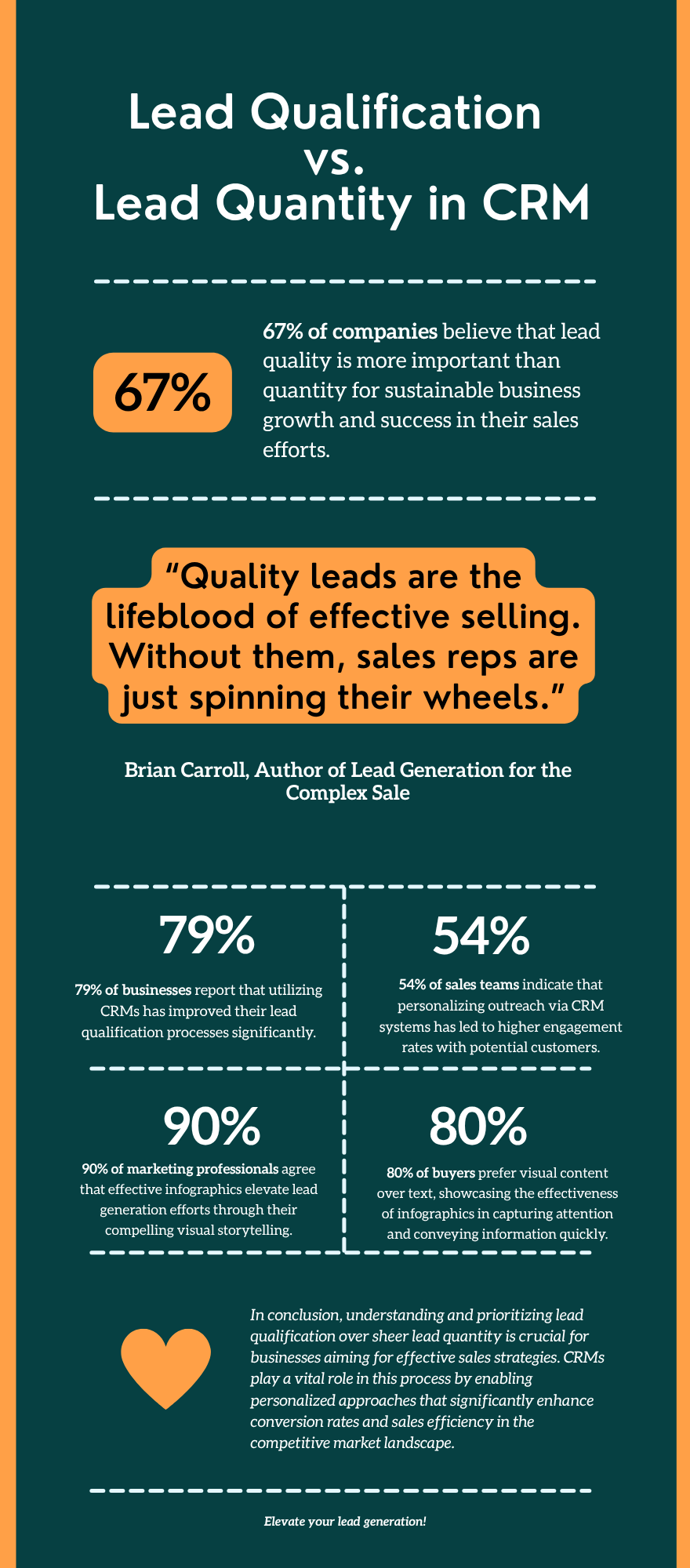
Lead Qualification vs. Lead Quantity in CRM

5 Lead Qualification Frameworks to Use Today

BANT: Budget, Authority, Need, Timeline

Best For: Fast-moving sales teams that need clarity before engaging deeply.

  • Budget: Determine if the prospect has allocated funds or the willingness to invest. This ensures your solution aligns with their financial capacity.
  • Authority: Confirm whether the person you’re speaking to can make or influence the purchasing decision. This helps avoid stalled deals.
  • Need: Identify if the lead has a real business problem your product can solve. This reveals solution fit.
  • Timeline: Understand when the buyer intends to purchase. A lead ready to decide in 30 days ranks higher than one evaluating options for next year.

Use with CRMLeaf: Automatically tag or score leads based on survey responses or discovery call inputs that reflect each of these BANT elements.

CHAMP: Challenges, Authority, Money, Prioritization

Best For: Solution-focused teams that want to build value first.

  • Challenges: Start the conversation around their biggest pain points. Solving a key challenge builds trust and urgency.
  • Authority: Clarify who signs off on decisions and ensure you’re engaging the right person early in the cycle.
  • Money: Ask about budget expectations tactfully. This helps prevent chasing leads who can’t afford your solution.
  • Prioritization: Determine if solving the challenge is a top priority. If it’s not urgent, the deal may stall despite a good fit.

Use with CRMLeaf: Attach custom fields in lead records to track each of these values and trigger follow-up sequences based on urgency and priority.

MEDDIC: Metrics, Economic Buyer, Decision Criteria, Decision Process, Identify Pain, Champion

Best For: Complex B2B sales cycles involving multiple stakeholders.

  • Metrics: Identify the measurable KPIs the buyer wants to improve. Knowing these helps you tailor your pitch around real business outcomes.
  • Economic Buyer: Pinpoint the budget holder. Engaging this person early ensures buy-in and smoother procurement.
  • Decision Criteria: Understand what features or outcomes are most important to the buyer. It helps position your solution effectively.
  • Decision Process: Clarify the steps, committees, or evaluations involved. This prevents delays from unexpected roadblocks.
  • Identify Pain: Go deep into what challenges are causing friction in their business. Pain drives action.
  • Champion: Find someone inside the organization who advocates for your solution. They provide insights and help you navigate internal dynamics.

Use with CRMLeaf: Create opportunity stages with checklists for each MEDDIC component. Link to ERP data for budget validation and opportunity scoring.

GPCTBA/C&I: Goals, Plans, Challenges, Timeline, Budget, Authority/Consequences & Implications

Best For: In-depth consultative selling, especially in high-ticket environments.

  • Goals: Uncover what the client aims to achieve. Goals drive the motivation for change.
  • Plans: Explore what strategies or solutions they are currently using to achieve these goals. Identify gaps your product fills.
  • Challenges: Diagnose what’s preventing success. The clearer the challenge, the stronger your case.
  • Timeline: Determine when the client wants to implement a solution. Timing affects resource planning and urgency.
  • Budget: Evaluate the financial resources committed to solving the issue. A mismatch can disqualify leads early.
  • Authority: Confirm decision-making roles. It avoids misaligned communication and wasted follow-ups.
  • Consequences & Implications: Highlight what happens if the issue is resolved—or left unresolved. This reinforces urgency and ROI.

Use with CRMLeaf: Build a custom qualification form that sales fills out after discovery, which auto-populates reporting dashboards and syncs with opportunity records.

ANUM: Authority, Need, Urgency, Money

Best For: Sales teams who want to qualify quickly and efficiently.

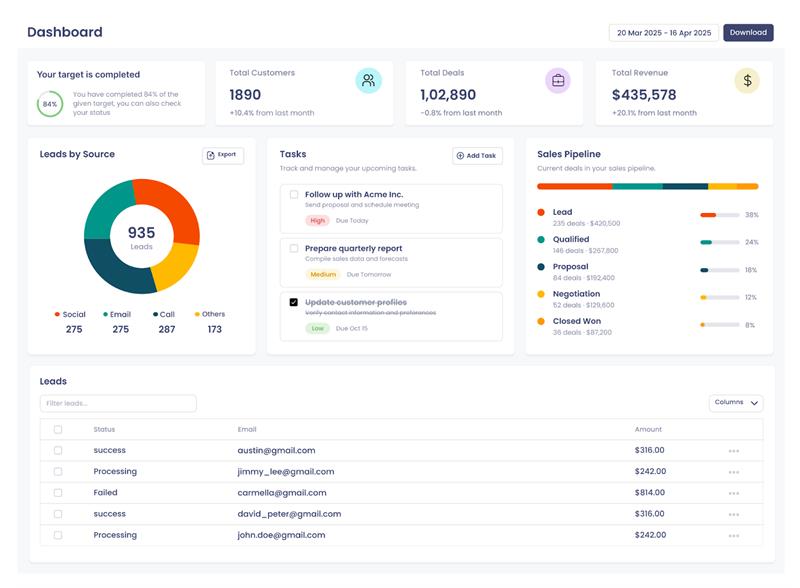
Dashboard

  • Authority: Start by identifying the decision-maker. This saves time by ensuring you pitch to the right contact.
  • Need: Quickly confirm that the lead has a tangible problem your product addresses. Without a need, there’s no deal.
  • Urgency: Determine if the need is pressing. Urgent problems are more likely to convert fast.
  • Money: Assess if there is a budget or appetite to spend. This qualifies whether a solution is feasible.

Use with CRMLeaf: Use automation to prompt reps to enter ANUM answers immediately after the first contact. Filter out low-fit leads early.

Customer Success Snapshot

“NexEdge Logistics, a growing transportation tech company, was overwhelmed by inconsistent lead quality. Reps were chasing conversations instead of conversions.”

After implementing the BANT and CHAMP frameworks in CRMLeaf:

  • Sales productivity improved by 35% in 60 days.
  • Lead-to-opportunity conversion rates jumped 22%.
  • Sales and finance aligned on high-value targets using CRMLeaf’s real-time dashboards.

They now operate with clarity, qualifying leads faster and spending more time where it counts.

Key Takeaways

Using the right lead qualification framework transforms your sales process from reactive to intentional.

  • Frameworks like BANT, CHAMP, and MEDDIC help structure your conversations and improve targeting.
  • CRM + ERP tools like CRMLeaf bring automation, visibility, and alignment across teams for smarter decisions.
  • Customization is key — pick the framework (or hybrid) that fits your sales motion, customer profile, and buying cycle.

Your best deals aren’t hidden — they’re just buried under noise. Qualification helps you find them.

Want to qualify faster and close smarter? Book your CRMLeaf demo to implement these frameworks today.