Manage Documents & Contracts Securely in CRM

Did you know that employees spend nearly 20% of their time searching for documents? That’s a full workday each week — wasted. Now imagine the cost when the wrong contract version is sent, or a critical document goes missing. As teams grow and customer data multiplies, the need to manage documents and contracts securely in CRM becomes non-negotiable.

In this blog, we’ll break down exactly why this matters, what businesses can do, and how CRMLeaf’s secure document management features can help you stay compliant, efficient, and ahead of the curve.

Why Secure Document & Contract Management Matters for Business

Paper clutter is a thing of the past — but digital chaos is just as dangerous. As businesses expand, so do their digital files. Think sales proposals, signed contracts, onboarding docs, vendor agreements, and audit trails. Now multiply that by departments, clients, and regions.

For growing teams in industries like real estate, legal services, and B2B SaaS, managing this information manually or across disconnected tools is a recipe for errors, delays, and compliance risks.

Here’s why smart businesses choose to manage documents and contracts securely in CRM:

  • Compliance and Audit-Readiness Secure CRMs provide timestamped document logs, ensuring you meet data protection regulations like GDPR, HIPAA, or SOC2 with minimal effort.
  • Single Source of Truth When contracts, proposals, and communications are all stored centrally, teams stop wasting time searching across inboxes and folders.
  • Faster Approvals and Closures Digitally managing contracts reduces approval delays. Workflows, version control, and eSignature integrations accelerate business.
  • Reduced Risk of Data Breach Encrypted file sharing and role-based access controls protect your sensitive documents from unauthorized access.
  • Better Collaboration With CRM document management, your sales, legal, and finance teams can work on the same contract with tracked updates — without ever needing to download the file.
Lost Contracts Lost Deals

Best Practices to Manage Documents and Contracts Securely in CRM

To truly benefit, you need more than storage. You need strategy. Let’s walk through actionable best practices that empower businesses to maintain secure, streamlined control over their contracts and documents.

1. Use Role-Based Access Controls

Not everyone should have access to every file. CRMs like CRMLeaf allow you to define user roles and restrict document access based on department, project, or clearance level.

2. Centralize Documents in a Digital Contract Repository

Keep all files in a centralized document control area inside your CRM. No more shared drive chaos or scattered attachments.

3. Automate Contract Lifecycle Management

Set up workflows to trigger notifications, contract renewals, expiration alerts, and approval requests to automate your document approval workflow.

4. Leverage Version History & Audit Trails

Always know who edited what and when. A secure CRM document storage system ensures every update is logged for full transparency.

5. Enable Encrypted File Sharing

When sharing contracts or proposals externally, use CRM platforms with encrypted file sharing to eliminate leak risks.

6. Integrate eSignature Tools

Enable CRM with eSignature support to cut down turnaround time for contract closures. Customers can sign digitally — fast, secure, and paperless.

7. Set Expiry Dates & Auto-Reminders

Avoid missed deadlines by tagging documents with review or renewal dates. CRMLeaf automatically sends reminders ahead of time.

8. Tag & Categorize for Searchability

Organize files using smart tags like client name, project ID, contract type, etc. Finding documents becomes effortless.

Customer Success Spotlight

For example, NovaLegal, a legal advisory firm, used CRMLeaf’s contract lifecycle management to reduce document processing time by 60%. Here’s how:

  • They centralized over 15,000 contracts using CRMLeaf’s digital contract repository.
  • Using document approval workflows, they cut down manual follow-ups and improved approval turnaround.
  • With CRMLeaf’s secure data storage in CRM, they ensured GDPR compliance without investing in external tools.

The result? Faster deal cycles, lower legal risks, and a 3X increase in document collaboration across departments.

Key Takeaways

  • Secure document and contract management isn’t optional — it’s essential for compliance, collaboration, and customer trust.
  • You need more than storage — you need encrypted file sharing, eSignature integrations, and automated workflows.
  • With CRMLeaf, you don’t just manage documents and contracts securely in CRM — you turn document chaos into organized, audit-ready productivity.

In short, the right CRM can give your team peace of mind while improving efficiency and closing deals faster.

Automate Follow-Ups for Site Visits & Open Houses with CRM

Did you know that 80% of sales require at least five automate follow-ups to close a deal, but 44% of agents give up after just one? This gap is especially problematic in industries like real estate, construction, and home improvement, where site visits and open houses are high-intent moments — but if not followed up promptly, they lose momentum.

So why is consistent follow-up so hard?

Because juggling calls, messages, and calendars manually is time-consuming, error-prone, and unscalable.

That’s where automation comes in.

In this blog, you’ll learn how to automate follow-ups for site visits & open houses using CRMLeaf’s unified CRM + ERP platform. We’ll cover the business benefits, best practices, and real-world examples to help you convert site visits into deals — with less effort and more consistency.

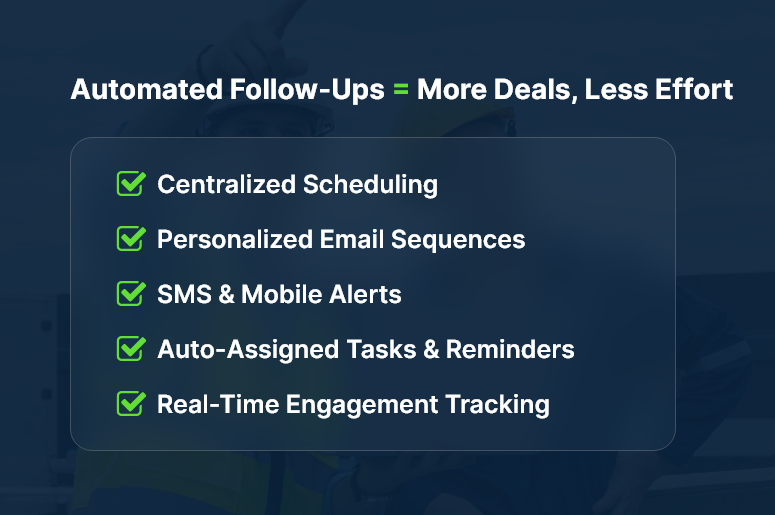
Automated Follow-Ups = More Deals, Less Effort

Why Automated Follow-Ups Matter for Growing Businesses

For real estate agents, field service professionals, and interior designers, site visits and open houses are a crucial touchpoint. These in-person interactions signal high interest — but they also require fast, consistent follow-up to maintain that momentum.

However, small and mid-sized businesses often struggle with:

  • Manual scheduling and reminders — which leads to dropped leads and missed opportunities.
  • Disjointed tools — using spreadsheets, calendars, and email platforms that don’t talk to each other.
  • Lack of follow-up visibility — teams don’t know who followed up, when, or what was discussed.

This creates lost revenue, slower sales cycles, and a poor client experience.

Automated follow-ups solve all these problems. When powered by a CRM + ERP platform, they ensure every lead from a site visit or open house receives a personalized follow-up message, scheduled reminders, and continues moving through the pipeline.

Industries that benefit the most:

  • Real Estate Agencies – Automatically follow up with every attendee post–open house, with tailored emails and listings.
  • Home Renovation Firms – Send post-site visit estimates, project photos, and reminders for approvals.
  • B2B Equipment Sales – Trigger product specs, pricing, and next steps after demo site visits.

When you automate follow-ups for site visits & open houses, you’re not just saving time — you’re creating a system that never lets a lead fall through the cracks.

Best Practices: How to Automate Follow-Ups Effectively

1. Capture Site Visit Data Automatically

  • Use CRMLeaf’s appointment scheduler or calendar sync to log every site visit or open house instantly. This ensures that no visit goes unrecorded and every lead is properly categorized.
  • Automatically associate leads with properties or projects, so you can trace communication back to a visit and personalize future touchpoints.
  • Include notes, tags, and photos to personalize follow-ups based on the in-person experience.

2. Set Up Triggered Follow-Up Workflows

  • Build automation rules: For example, “Send follow-up email 2 hours after site visit ends.” This ensures timely responses and consistent lead engagement.
  • Trigger a sequence of messages: thank you emails, additional listings, project estimates, or review requests.
  • Add dynamic placeholders to personalize each message with names, visit dates, or specific property names.

3. Assign Tasks and Reminders

  • Automatically assign a follow-up task to the sales rep once the site visit is complete, keeping the process on track.
  • Use priority flags and due dates to keep things from slipping.
  • Get notifications if no follow-up is completed within a defined time window (say, 48 hours).

4. Leverage SMS and Mobile Alerts

  • CRMLeaf enables SMS reminders and mobile push alerts for high-urgency contacts, improving engagement.
  • This boosts response rates, especially in fast-moving markets or B2C industries.
  • You can also integrate WhatsApp or Facebook Messenger via CRMLeaf’s communication modules.

5. Track Engagement and Optimize the Funnel

  • Monitor which leads open, click, or reply to follow-up messages to measure effectiveness.
  • Adjust your message templates and timing based on performance insights.
  • Use CRM dashboards to visualize conversion stages: from visitfollowupproposalclosed deal.

6. Enable Multi-Channel Follow-Ups

  • Don’t rely on just one channel. Mix emails, calls, texts, and in-app messages in your automation workflows.
  • CRMLeaf supports omnichannel contact records, helping you stay in sync regardless of how the lead communicates.
  • This ensures your buyer engagement doesn’t feel robotic — it feels timely and personalized.

7. Integrate with Calendar and Sales Tools

  • Sync your CRM + ERP with Google Calendar, Outlook, or Zoom to send pre- and post-visit follow-ups.
  • If a meeting is rescheduled or canceled, automation rules can update the follow-up plan accordingly.
  • This reduces administrative overhead and keeps your funnel moving forward — even during chaos.

Customer Success Story

For example, EliteProperty Group, a mid-sized real estate brokerage, used CRMLeaf’s automation suite to follow up with open house attendees. Within 3 months:

  • They boosted response rates by 41% through automated, personalized emails.
  • Average deal closure time dropped by 28% thanks to consistent, timely follow-ups.
  • Sales reps saved nearly 7 hours per week, which they reinvested into client showings and negotiations.

Their strategy was simple: use CRMLeaf to automate follow-ups for every site visit, send event-specific listings, and track response behavior in real-time.

Key Takeaways & Closing

When you automate follow-ups for site visits & open houses, you:

  • Centralize your communication, ensuring no visitor is left without follow-up.
  • Accelerate sales timelines with consistent, rule-based outreach.
  • Improve team productivity by eliminating manual tasks.

In short, automated follow-ups allow you to stay ahead, appear more professional, and close more deals — without increasing your workload.
Whether you’re a real estate agent, contractor, or B2B vendor, CRMLeaf gives you the tools to turn visits into revenue.

CRM for Property Management: Tracking Rent & Maintenance

Managing multiple properties involves a mountain of tasks — from collecting rent on time to responding quickly to maintenance issues. According to a survey by Buildium, over 60% of tenants say that poor maintenance response is a top reason for moving out. In a competitive rental market, streamlining operations with technology isn’t just smart — it’s essential. This blog dives deep into how using a CRM for property management helps landlords and property managers stay organized, proactive, and tenant-friendly. You’ll learn how to simplify rent tracking, automate maintenance requests, and provide better experiences for everyone involved.

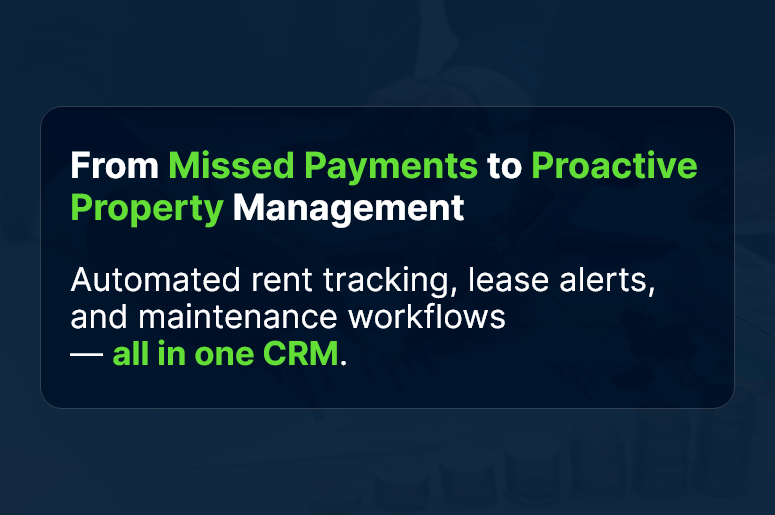
From-Missed-Payments-to-Proactive-Property-Management

Why Property Management Needs a CRM System

Whether you manage a handful of units or a large portfolio, relying on spreadsheets and sticky notes leads to errors, missed payments, and frustrated tenants. A property management CRM can fix that. Here’s why:

1. Centralized Data for Easy Access

With a CRM for property management, every tenant profile, lease document, and maintenance history lives in one place. No more jumping between apps or digging through paper files.

2. Automated Rent Tracking and Alerts

The system automatically tracks due dates and sends automated rent reminders to tenants. You get a clear view of paid, pending, and overdue rents.

3. Maintenance Request Automation

Tenants can log issues through a tenant management system, which routes them to maintenance staff instantly. Assign priorities, set deadlines, and track resolution times effortlessly.

4. Improved Communication

A real estate CRM enables streamlined communication between landlords, tenants, and maintenance crews. Send SMS or email updates and keep conversations logged.

5. Scalability for Growing Portfolios

As your portfolio grows, your CRM grows with you. Lease tracking, multi-property views, and performance dashboards help you scale without chaos.

Best Practices for Using CRM in Property Management

Let’s explore practical steps you can implement right away:

Set Up Smart Tenant Profiles

  • Include lease dates, payment history, and maintenance logs: This ensures every tenant interaction is informed and contextual.
  • Upload identity documents and signed agreements: Make document management simple and searchable.

Automate Rent Collection and Tracking

  • Schedule rent reminders via email/SMS: This boosts on-time payments without manual follow-up.
  • Flag late payments and auto-generate fees: Avoid financial leakage through missed dues.

Streamline Maintenance Workflows

  • Set up online request forms for tenants: Ensure issues are reported in a standardized format.
  • Use task management to assign and monitor jobs: Reduce turnaround time for repairs and improve tenant satisfaction.

Enable Self-Service Portals for Tenants

  • Allow tenants to update their info, view payment history, or log requests: This reduces support workload and empowers tenants.
  • Mobile access for on-the-go convenience: Today’s renters expect mobile-first experiences.

Track Lease Expiry and Renewals Proactively

  • Set renewal alerts 60–90 days in advance: Avoid last-minute renewals and tenant loss.
  • Provide renewal offers through automated emails: Make it easy for tenants to renew hassle-free.

Generate Custom Reports and Insights

  • Analyze occupancy trends, late payment rates, and maintenance costs: Spot inefficiencies and act.
  • Track team performance across properties: Identify bottlenecks or overworked staff quickly.

Customer Success Story

For example, BlueNest Realty, a mid-sized property management firm, used CRMLeaf’s rent tracking and maintenance automation features to reduce late rent payments by 40% and maintenance request resolution times by 60%. Here’s how:

  • Implemented auto-reminders for rent due dates
  • Enabled online ticketing for tenant-reported issues
  • Used reporting dashboards to identify trends and act faster

The result? Fewer complaints, faster resolutions, and improved tenant retention.

Key Takeaways

  • A CRM for property management simplifies daily operations and saves hours of manual effort.
  • With automated rent reminders, maintenance request tracking, and centralized lease data, property managers can focus on growing their business — not chasing payments.
  • By offering self-service portals, you improve tenant satisfaction and cut down on routine support requests.
  • Scalability means your systems won’t break as you add more units or clients.

Adopting a CRM+ERP platform tailored for real estate ensures streamlined workflows, better data visibility, and long-term portfolio health.

Monthly Payroll vs. Weekly Payroll: Which One Is Right for Your Business?

When it comes to payroll, frequency matters more than you might think. The decision between monthly payroll vs. weekly payroll isn’t just a preference — it’s a strategic lever that affects cash flow, compliance, morale, and operational efficiency.

For many HR professionals, finance teams, and small business owners, the question is this: How often should you pay your employees? And more importantly — how does that decision impact your team and bottom line?

In this blog, we’ll break down the differences between monthly and weekly payroll, explore how it affects various business models, and help you choose the option that aligns with your goals — backed by practical insights and powered by the flexibility of CRMLeaf’s CRM + ERP platform.

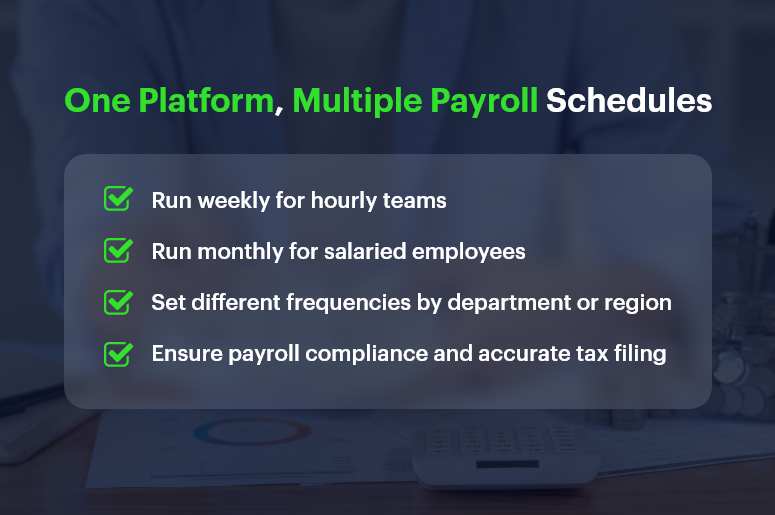
One Platform, Multiple Payroll Schedules

Why Payroll Frequency Is a Strategic Decision for Growing Businesses

Payroll isn’t just about cutting checks — it’s about financial planning, employee satisfaction, and regulatory compliance. As your business scales, choosing the right payroll schedule becomes even more critical.

1. Operational Simplicity vs. Workforce Expectations

  • Businesses often lean toward monthly payroll for its administrative simplicity and predictable cash flow cycles.
  • However, some industries require weekly payroll to meet labor expectations, especially for hourly or part-time staff.

2. Industry-Specific Norms

  • Construction, manufacturing, and retail industries often pay weekly or biweekly due to fluctuating shifts, hourly pay structures, and union rules.
  • SaaS companies, consultancies, and professional services prefer monthly payroll to reduce admin load and align payments with invoice cycles.

3. Employee Engagement and Retention

  • For many employees, pay frequency impacts satisfaction. Weekly payroll can improve morale and reduce financial stress — especially in hourly workforces.
  • On the other hand, salaried professionals often prefer predictable, consolidated monthly pay.

So, how do you decide between monthly payroll vs. weekly payroll? Let’s explore the pros and cons.

Payroll Schedule Comparison: Monthly vs. Weekly Breakdown

Here’s a clear breakdown of the advantages and trade-offs for both schedules, so you can make a confident decision.

Monthly Payroll: Advantages

  • Reduced Administrative Overhead: You only process payroll 12 times a year, saving time, effort, and resource costs.
  • Simplified Tax Filing: Fewer filings mean fewer opportunities for compliance errors and smoother reconciliation processes.
  • Cash Flow Predictability: Monthly payouts help businesses better forecast cash flow, especially when managing vendor payments and invoices.
  • Better Integration with Financial Systems: Monthly payroll aligns well with CRM + ERP platforms that also operate on monthly billing and reporting cycles.

Monthly Payroll: Potential Drawbacks

  • Delayed Earnings for Employees: Waiting 30 days for pay may cause dissatisfaction among employees, especially in lower-income or hourly roles.
  • Harder to Adjust for Mid-Cycle Changes: Bonuses, terminations, and last-minute adjustments may be harder to handle without disrupting the cycle.
  • Less Flexibility: If labor hours vary significantly, reconciling hours and calculating pay can be more challenging over longer cycles.

Weekly Payroll: Advantages

  • Boosts Employee Satisfaction: Employees receive faster access to their earnings, which can reduce financial stress and improve engagement.
  • Ideal for Hourly Workforces: Weekly payroll is perfect for businesses with fluctuating schedules and overtime payments.
  • Faster Error Correction: Mistakes can be caught and corrected more quickly, limiting the window for unresolved issues.

Weekly Payroll: Potential Drawbacks

  • Higher Administrative Load: Processing payroll 52 times a year can burden HR and finance teams — unless you automate with tools like CRMLeaf.
  • Increased Processing Costs: More frequent payroll runs can increase costs related to compliance, direct deposits, and accounting.
  • Shorter Cash Flow Windows: Weekly disbursements require tighter cash management and forecasting to avoid liquidity issues.

Best Practices: How to Choose the Right Payroll Schedule

Choosing between monthly payroll and weekly payroll depends on several factors — employee type, industry, company size, and available payroll infrastructure.

1. Align Payroll with Workforce Structure

  • If your team is largely hourly, seasonal, or shift-based, weekly payroll often works best.
  • For predominantly salaried employees, monthly payroll minimizes complexity and matches performance review or bonus cycles.

2. Evaluate Internal Resources

  • If your HR and finance teams are small or overstretched, monthly payroll might reduce workload and risk.
  • However, automation with CRMLeaf levels the playing field. You can run payroll weekly without overwhelming your team thanks to built-in workflows and tax calculators.

3. Consider Cash Flow Patterns

  • Ask: Can we maintain healthy cash reserves for weekly disbursements?
  • If not, monthly payroll may give your finance team more breathing room for planning, investing, or handling emergencies.

4. Stay Compliant with Local Laws

  • Some jurisdictions mandate weekly or biweekly payments, especially for certain industries.
  • CRMLeaf helps you stay compliant by automating regional payroll compliance and alerting you to changes in tax rules or labor laws.

Real-World Case Study: Choosing the Right Schedule with CRMLeaf

For example, ShopMax, a mid-sized retail business with 300 hourly employees, switched from monthly to weekly payroll using CRMLeaf’s CRM + ERP platform.

After automating time tracking, tax deduction, and overtime calculations:

  • Payroll errors dropped by 45%
  • Employee satisfaction scores increased by 22%
  • Time spent on payroll processing decreased by 40%

By leveraging CRMLeaf’s payroll automation and analytics, ShopMax turned payroll from a pain point into a retention advantage.

Key Takeaways: Finding Your Payroll Sweet Spot

Choosing between monthly payroll vs. weekly payroll isn’t one-size-fits-all. It’s a decision shaped by your team, your operations, and your goals.

  • Weekly payroll may suit hourly teams and high-turnover roles that require speed, transparency, and employee satisfaction.
  • Monthly payroll may suit salaried workforces, project-based companies, and cash-conscious operations.
  • The best strategy is to combine thoughtful planning with powerful automation.

With CRMLeaf’s CRM + ERP platform, you’re not stuck choosing one over the other — you get the flexibility to run different payroll schedules based on department, location, or role.

So whether you want efficiency, accuracy, or happier employees, CRMLeaf empowers your payroll process to align with business strategy.

Real-Time Payroll Dashboards: Turning Data into Strategic Insights

Payroll used to be a back-office chore. Today, real-time payroll dashboards are transforming it into a strategic powerhouse.

Think about this: 70% of CFOs say real-time access to payroll data improves financial decision-making.

Yet many businesses still wrestle with outdated spreadsheets, manual reconciliations, and surprise compliance issues.

If you’re in HR, operations, finance, or running a growing business, here’s the good news — real-time payroll dashboards don’t just track payments. They offer insights you can act on immediately.

In this guide, you’ll learn how modern CRM + ERP platforms like CRMLeaf leverage payroll dashboards to optimize processes, save time, and reduce errors—turning routine data into strategic wins.

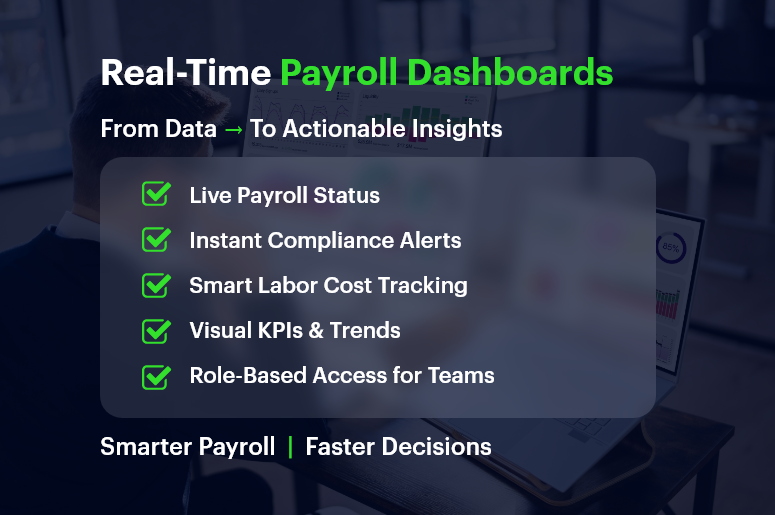
Real-Time Payroll Dashboards

Why Real-Time Payroll Dashboards Matter for Growing Businesses

Growing companies need visibility, speed, and compliance — without extra complexity. That’s exactly where real-time payroll dashboards help. Let’s break down why they’re a game-changer.

The Payroll Chaos Most SMBs Face

  • Manual data entry causes errors: When finance and HR teams manually process payroll, inconsistencies creep in — often unnoticed until payday.
  • Disjointed tools lead to delays: Separate tools for time tracking, tax filing, and benefits calculation can slow everything down.
  • Lack of transparency frustrates teams: Employees want to know when they’ll be paid and how deductions work, while managers want to spot overtime trends.

Industries That Benefit the Most

  • Retail chains with variable hourly schedules gain real-time clarity on overtime, absences, and shift differentials.
  • Construction firms need mobile-friendly dashboards to manage crews across multiple sites with diverse pay rates.
  • Tech startups scaling quickly use dashboards to maintain accuracy across employee benefits, bonuses, and stock options.

No matter your industry, access to real-time payroll data can reduce risk, control costs, and improve decision-making.

From Data to Action: Payroll Dashboard Best Practices

Let’s walk through how to get the most from real-time payroll dashboards — and why using a unified CRM + ERP platform like CRMLeaf makes it seamless.

1. Centralize Payroll Inputs for Real-Time Accuracy

Connect your time tracking, leave management, and pay-grade systems.

  • A real-time dashboard can only be as good as the inputs feeding it.
  • By syncing everything — from shift hours to performance bonuses — you eliminate blind spots and double entries.

2. Use Visuals to Spot Trends and Outliers Instantly

Numbers are great — but visuals tell the story.

  • CRMLeaf’s dashboards turn raw numbers into bar graphs, heatmaps, and pie charts so that HR and finance teams can spot anomalies like sudden spikes in overtime or underpayments.
  • It empowers quicker interventions without waiting until end-of-month reports.

3. Automate Compliance Tracking and Tax Calculations

Let automation handle ever-changing laws.

  • Real-time payroll dashboards can flag outdated tax rules or threshold breaches.
  • CRMLeaf’s built-in compliance engine keeps your pay cycles aligned with labor laws, minimum wage regulations, and benefits mandates.

4. Monitor Labor Costs Against Project Budgets

Track labor costs in real-time, right down to individual projects.

  • If you’re using job costing or project accounting, dashboards let you see whether labor spend is exceeding planned budgets — before the project wraps.
  • For industries like construction or consulting, this reduces cost overruns and improves bid accuracy.

5. Empower Managers with Role-Based Access

Let managers access only what they need — securely.

  • Managers can view their team’s payroll insights without seeing sensitive financial data across departments.
  • This ensures data integrity, privacy, and faster decision-making at every level.

Case Study: A Fast-Growing Retail Brand Streamlines Payroll

For example, ShopNova, a rapidly expanding retail brand with 50+ outlets, used CRMLeaf’s real-time payroll dashboards to slash its payroll processing time by 35%.

They integrated biometric time clocks, regional tax rules, and incentive structures across all stores.

The results?

  • Errors dropped by 70%
  • Payroll was processed 3x faster
  • Managers gained insight into peak-hour labor costs, improving scheduling efficiency

With CRMLeaf, ShopNova turned payroll into a strategic lever — not a bottleneck.

Key Takeaways: Why Payroll Dashboards Deserve Your Attention

Let’s recap what makes real-time payroll dashboards so valuable for businesses:

  • You get immediate visibility into payroll operations across departments, helping you make informed decisions faster.
  • You reduce compliance risks by automating tax calculations, deductions, and wage laws.
  • You simplify labor cost management by seeing live reports on where time and money are being spent.
  • You foster employee trust by improving pay accuracy and transparency.

In short, real-time payroll dashboards are no longer a nice-to-have — they’re a must-have for any business that values operational control, compliance, and growth.

They’re also far more powerful when integrated into a CRM + ERP platform like CRMLeaf — bringing payroll, project costing, workforce planning, and reporting under one roof.