10 CRM + ERP Solutions for Budget-Conscious Businesses

If you run a growing business on a tight budget, you probably juggle multiple tools: one for leads, another for invoices, a spreadsheet for payroll, and maybe a standalone project tool. Very quickly, that patchwork turns into chaos. That’s exactly where CRM ERP solutions help. They connect your customer data (CRM) with your operations and finance (ERP) so you can see the full picture: leads → deals → projects → invoices → payments → renewals — all in one place.

In this guide, you’ll explore 10 CRM ERP solutions for budget-conscious businesses, starting with CrmLeaf as #1, and then nine other strong contenders, including open-source and freemium options.
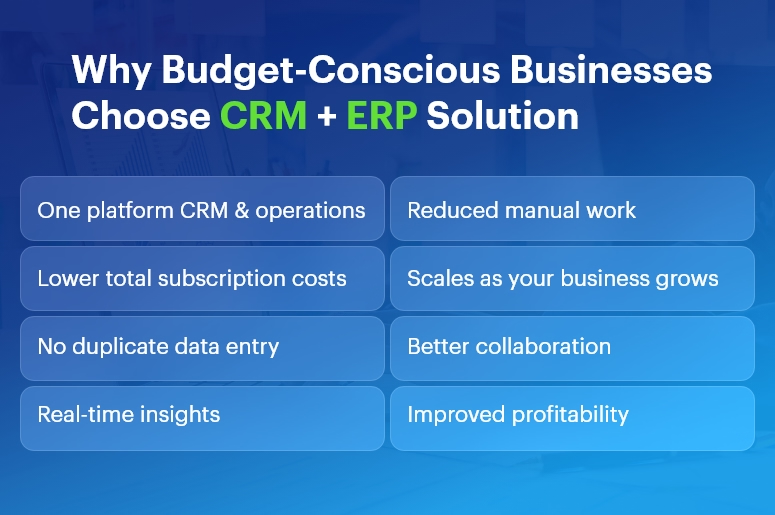
Why Budget-Conscious Businesses

Why budget-conscious businesses need CRM ERP solutions

When margins are thin, every extra subscription hurts. An integrated platform lets you:

  • Replace 4–5 tools with one connected system
  • Reduce manual data entry and mistakes
  • Get real-time visibility into cash flow, projects, and sales
  • Automate repetitive tasks instead of hiring more admin staff
  • Scale without constantly retooling your tech stack

Because of this, CRM ERP solutions often end up cheaper than stitching together multiple “cheaper” tools that don’t talk to each other.

How to evaluate CRM ERP solutions when money matters

Before you pick a tool, look at these factors:

  • Total cost of ownership: Don’t just compare license prices. Also consider implementation, training, add-ons, and integration costs.
  • Modules you actually need: You may not need advanced manufacturing on day one. Choose a system where you can start small and add modules later.
  • Scalability: As your team grows, your CRM ERP solutions must handle more users, more data, and more automation — without a painful migration.
  • Ease of use & adoption: The cheapest ERP is still expensive if your team refuses to use it. Look for a clean UI, good onboarding, and strong support.
  • Customization & automation: Workflows, custom fields, approval rules, and integrations matter a lot when you want to save time instead of hiring more staff.
  • Localization & compliance: If you operate in India or specific regions, you need local tax formats, multi-currency, payroll options, and statutory compliance.

Now let’s walk through 10 CRM ERP solutions that fit tight budgets — with CrmLeaf at the very top.

CrmLeaf

Best for: Small and midsize businesses that want CRM, HR, finance, projects, and operations in a single, budget-friendly platform.

Why CrmLeaf is #1 on this list

CrmLeaf is an all-in-one business management platform that brings together CRM, HRMS, finance, project management, payroll, inventory, ticketing, and even specialized Solar CRM in one unified system.

Instead of juggling separate tools for leads, HR, invoices, and operations, you log in once and see everything in a single workspace.

Key modules that matter for budget-conscious teams

Core CRM

  • Lead and contact management
  • Sales pipeline and deal tracking
  • Follow-up reminders and tasks
  • Quotations & estimates

ERP-style operations

  • Project and task management
  • Service ticketing and support
  • Product & inventory lifecycle
  • Purchase and vendor management
  • Contract & asset management

Finance & billing

  • Invoice management
  • Payment tracking
  • Bank accounts & financial institutions
  • Expense management

HR & payroll

  • Employee directory and profiles
  • Attendance & leave management
  • Payroll processing
  • Recruitment & performance management

Pricing advantage

CrmLeaf offers multiple plans, starting with a Free Plan for a single user, and paid plans that scale with your team size. You get CRM, projects, HR, payroll, finance, and operations under one roof, which keeps your total cost of ownership low compared to buying individual tools.

Because of this, CrmLeaf stands out as one of the most budget-friendly CRM ERP solutions for SMBs that want serious functionality without enterprise-level pricing.

Why CrmLeaf works well as a CRM + ERP backbone

  • You avoid double entry because sales, projects, HR, and finance all share the same data.
  • You get real-time dashboards on sales, revenue, project status, and HR metrics.
  • You can adopt modules gradually: start with CRM + invoicing, then add HRMS, payroll, inventory, and ticketing later.
  • You benefit from domain-aware workflows (e.g., manufacturing, solar, and service industries).

If you want CRM ERP solutions that grow with you and keep costs under control, CrmLeaf is a very strong first choice.

Zoho One

Best for: Businesses that want a big ecosystem (45+ apps) with CRM, finance, HR, and operations at a per-user price.

Zoho One positions itself as an “Operating System for Business,” offering 45+ integrated apps covering CRM, finance, HR, helpdesk, marketing, and more.

Why it’s good for budgets

You pay a single subscription (with “All-Employee” or flexible user pricing models), and you get access to a wide range of tools: Zoho CRM, Books (accounting), Inventory, Projects, People (HR), Desk (support), and more.

This model turns Zoho One into one of the most popular CRM ERP solutions for teams that want breadth of functionality without buying separate products from different vendors.

Highlights

  • Powerful CRM tightly integrated with email, campaigns, and telephony
  • Finance apps for invoicing, expenses, and accounting
  • HR tools for attendance, leave, and onboarding
  • Built-in analytics and dashboards
  • Strong marketplace and integrations

Zoho One can feel overwhelming at first, but if you standardize on it early, you get a lot of value per rupee or dollar spent.

Odoo

Best for: Teams that want open-source, modular CRM ERP solutions with strong customization capabilities.

Odoo is a suite of open-source business apps that cover CRM, eCommerce, accounting, inventory, point of sale, project management, manufacturing, and more.

Budget benefits

  • Community Edition is open source and free to use, which can dramatically lower licensing costs if you have in-house or partner technical capabilities.
  • Enterprise Edition adds more features, cloud hosting, and official support, which you can move to as you grow.

Why Odoo fits CRM + ERP in one

  • CRM, sales, accounting, inventory, HR, and projects run in a unified database.
  • You enable only the modules you need and add others later.
  • The ecosystem of apps and partners helps you extend the system for specific industries.

Odoo suits companies that are comfortable with open-source ecosystems and want to shape their own CRM ERP solutions over time instead of buying a rigid off-the-shelf product.

ERPNext

Best for: SMEs that want a free, open-source ERP with full CRM, accounting, HR, and manufacturing capabilities.

ERPNext is a free and open-source ERP that includes modules for CRM, sales, accounting, inventory, HR, projects, website, e-commerce, POS, and manufacturing.

Budget angle

Because ERPNext is open source under the GPL license, you don’t pay per-user subscription fees. Instead, you may invest in hosting, implementation, and customization. For many budget-conscious companies, that trade-off is attractive.

Why it qualifies as a CRM + ERP solution

  • Integrated CRM for leads, opportunities, and customers
  • Core ERP modules for accounting, purchasing, warehouse, and manufacturing
  • HR module with employee records and basic HR processes
  • Project and task management within the same system

If you have access to technical expertise or a partner, ERPNext can become a powerful and affordable CRM ERP solution tailored exactly to your processes.

Bitrix24

Best for: Teams that want a generous free plan with CRM, collaboration, and light ERP capabilities.

Bitrix24 offers a free online workspace with CRM, tasks and projects, contact center, website builder, basic HR, and simple inventory features.

Budget-friendly strengths

  • Free plan with unlimited users and core CRM features, ideal for startups and very small businesses.
  • Paid plans still use a flat fee per organization, not strict per-user pricing, which can be cheaper at scale.

CRM + ERP angle

  • While Bitrix24 positions itself primarily as a CRM and collaboration platform, its project management, basic HR, and inventory tools make it a viable lightweight ERP for small teams.
  • This makes Bitrix24 one of the more accessible CRM ERP solutions if you need to start at zero cost and grow into paid tiers later.

Dolibarr

Best for: Small companies and freelancers who want a straightforward, open-source ERP + CRM without complexity.

Dolibarr is an open-source ERP & CRM designed for companies, foundations, and freelancers. It includes modules for CRM, invoicing, inventory, warehouse, orders, shipments, POS, bank accounts, and more.

Why budget-conscious businesses like Dolibarr

  • Free to use under the GPL license; you host it yourself or use a low-cost cloud offering.
  • You enable only the modules you need, which keeps the interface simple.
  • It covers both CRM (contacts, opportunities) and ERP (invoicing, stock, POS, basic HR) in a single application.

Dolibarr is ideal when you want CRM ERP solutions that are simple, lightweight, and don’t lock you into a vendor’s ecosystem.

Microsoft Dynamics 365 Business Central

Best for: Small and midsize businesses that want a modern, cloud ERP with deep integration into the Microsoft ecosystem.

Dynamics 365 Business Central is an ERP solution for SMBs that unifies finance, sales, service, supply chain, and manufacturing.

Where CRM comes in

You can integrate Business Central with Dynamics 365 Sales for CRM capabilities, creating a strong, unified CRM ERP solution:

  • Business Central handles accounting, inventory, purchasing, and manufacturing.
  • Dynamics 365 Sales manages leads, opportunities, and customer interactions.

Budget considerations

  • Licensing is not the cheapest on this list; however, for businesses already using Microsoft 365, the integration, security, and familiarity can offset costs.
  • You can start with a lean setup (finance + sales) and expand modules as you grow.

If your tech stack is heavily Microsoft-based and you want a future-proof ERP backbone, Business Central offers a robust option.

Metasfresh

Best for: SMEs seeking an actively maintained open-source ERP with CRM and MRP features.

Metasfresh is an open-source ERP designed for small and midsize businesses, with functionalities covering ERP, CRM, accounting, and MRP.

Budget and functionality

  • Free to use and modify under open-source licenses (GPLv2/GPLv3).
  • Modular architecture with both web and desktop clients.
  • Features for sales orders, procurement, inventory, and customer management.

Because of its open-source nature, Metasfresh can serve as a flexible CRM ERP solution if you’re ready to work with a partner or internal development team.

Compiere

Best for: Organizations that want a long-standing open-source ERP + CRM platform.

Compiere is an open-source ERP and CRM business solution for small and medium enterprises in distribution, retail, services, and manufacturing.

Why consider Compiere

  • It combines ERP and CRM in a single solution with a flexible Active Data Dictionary architecture.
  • You can adjust the information structures without heavy development, which helps when your processes evolve.

Although it’s older than some alternatives, Compiere still represents one of the earlier integrated CRM ERP solutions, especially for companies that appreciate its architecture and want something proven.

Zoho CRM + Zoho Finance Apps

Best for: Small teams that want to start with CRM and then add ERP-like finance and inventory step by step.

While Zoho One gives you the entire suite, you can also build a lean CRM ERP solution by combining:

  • Zoho CRM for leads, deals, and contact management
  • Zoho Books for accounting and invoicing
  • Zoho Inventory for stock and order management

Zoho CRM itself is priced sensibly with transparent per-user plans and free trials.

This modular approach lets you:

  • Start with Zoho CRM only
  • Add Books and Inventory when you need tighter financial and stock control
  • Eventually upgrade to Zoho One if you need HR, helpdesk, and more

For very budget-conscious businesses, this staged rollout can keep monthly costs low while still delivering the essentials of CRM ERP solutions.

How to choose the right CRM ERP solution for your business

Since every business is different, here’s a practical way to shortlist:

  • List your must-have modules
    • CRM: leads, deals, pipeline, email integration
    • ERP: accounting, inventory, projects, HR, payroll, manufacturing, etc.
  • Segment by budget model
    • Need zero-license cost? Look at ERPNext, Dolibarr, Metasfresh, Compiere.
    • Prefer SaaS with clear per-user pricing? Consider CrmLeaf, Zoho One, Zoho CRM stack, Bitrix24.
    • Want deep Microsoft integration? Evaluate Dynamics 365 Business Central.
  • Evaluate implementation effort
    • If you want fast go-live with minimal IT, pick a SaaS like CrmLeaf or Zoho One.
    • If you have strong technical resources, open-source tools can give you more control.
  • Run a small pilot
    • Start with one team (e.g., sales + finance).
    • Test core workflows: lead → quote → order → invoice → payment.
    • Validate reports and dashboards with real data.
  • Plan the rollout in phases
    • Phase 1: CRM + invoicing
    • Phase 2: Projects + HR
    • Phase 3: Inventory + advanced automation

By moving in phases, you control both risk and cost, which is crucial when you choose CRM ERP solutions under tight budgets.

Final thoughts: Start lean, grow smart

You don’t need the most expensive enterprise system to run a modern, data-driven business. Instead, you need:

  • A unified view of customers, finances, projects, and operations
  • A platform that fits your budget today and scales tomorrow
  • A system your team actually enjoys using

Among all the options, CrmLeaf stands out as a strong #1 for budget-conscious teams because it combines CRM, HRMS, finance, payroll, projects, inventory, and support into one integrated, affordable platform — reducing both subscription sprawl and operational chaos.

Choose one of these CRM ERP solutions, start with your most painful processes, and then expand as you see ROI. That way, you protect your budget while building a scalable foundation for growth.
CRM vs. Spreadsheet Chaos: Why Teams Must Switch Today?

What happens when your sales team updates one spreadsheet, finance updates another, and HR holds a completely different version?

The result is spreadsheet chaos — duplicated entries, wrong numbers, delayed responses, and confused customers.

Even today, many businesses rely heavily on Excel or Google Sheets to manage leads, quotes, payroll, and operations.

However, in a world where accuracy and agility drive growth, spreadsheets create bottlenecks. That’s why CRM vs. Spreadsheet Chaos is the biggest operational debate for modern organizations.

This blog reveals why spreadsheets fail growing businesses and how CrmLeaf empowers teams to streamline operations, boost productivity, and achieve real-time visibility with a unified CRM + ERP platform.

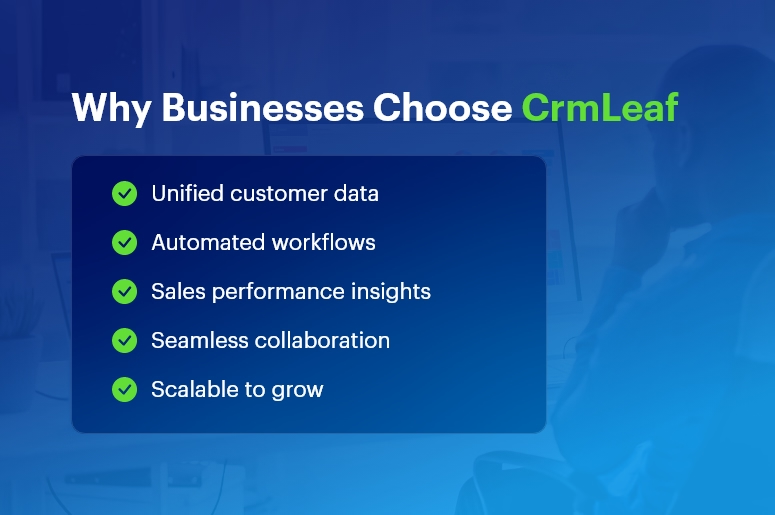
Why Businesses Choose CrmLeaf

Why Businesses Must Outgrow Spreadsheets

Spreadsheets were never built for scaling teams or complex business operations. They introduce challenges such as:

  • High Risk of Manual Errors

Data entry mistakes result in incorrect quotes, delayed deliveries, and compliance issues.

  • Siloed and Fragmented Information

Every department maintains separate files — sales, finance, inventory, payroll — none synchronized.

  • Zero Automation = Lost Productivity

Routine tasks such as approvals, reminders, invoicing, and follow-ups must be done manually.

  • No Accountability or Audit Trails

Anyone can overwrite formulas or delete data without traceability — a nightmare for audits.

  • Lack of Forecasting and Real-Time Insights

Reports take hours to compile and are usually outdated before decision-makers even see them.

As customer demands accelerate, spreadsheet-driven operations simply cannot keep up.

CRM vs. Spreadsheet Chaos: What Changes with CrmLeaf?

CrmLeaf replaces spreadsheet-driven inefficiencies with connected business intelligence.

Capability Spreadsheets CrmLeaf Unified Platform
Lead Tracking Manual Automated with pipeline visibility
Inventory & Production Offline logs Real-time shop floor updates
Finance & Payroll Complex formulas Smart workflows + compliance
Approvals Email reminders Built-in role-based approvals
Reporting Static sheets Interactive dashboards & forecasts
Data Security Basic password Encryption + access controls + logs

With CrmLeaf, every department works with the same accurate data, updated in real time.

Best Practices to Transition from Spreadsheet Chaos

Switching doesn’t have to be intimidating — CrmLeaf makes it simple.

  • Assess Current Spreadsheet Workflows

    • Identify bottlenecks and duplication
    • Map critical processes like Order-to-Cash and Hire-to-Retire
  • Set Clear KPIs

Examples:

    • “Reduce manual data entry by 60%”
    • “Improve inventory reporting accuracy to 99%”
  • Implement in Phases

    • Pilot with one team (ex: Sales)
    • Expand to Inventory, Projects, HRMS, and Finance
  • Automate Quick Wins

    • Auto reminders for overdue payments
    • Auto stock reorder triggers
    • HR auto leave approvals
  • Maintain Data Governance

    • Role-based access and field validation
    • Eliminate duplicates during migration
    • Regular data quality checks

Result: Faster adoption + immediate ROI

Case Study: How CrmLeaf Eliminated Spreadsheet Chaos

A mid-size manufacturing firm struggled with scattered production schedules and inaccurate inventory spreadsheets.

After implementing CrmLeaf:

  • 35% reduction in inventory carrying cost
  • 22% faster production cycle time
  • 8% procurement savings through timely approvals
  • Zero stockout occurrences reported in 90 days

Their teams now access a single source of truth across CRM, Inventory, Projects, HRMS, and Finance.

Key Takeaways: The Future Is Unified, Not Fragmented

  • Spreadsheets slow down scaling businesses
  • Automation boosts productivity, accuracy, and team collaboration
  • CrmLeaf eliminates spreadsheet chaos with real-time, end-to-end workflows
  • A unified CRM + ERP platform is now a strategic competitive advantage

In 2025 and beyond — speed wins.

Your competitors are already automating… are you still updating spreadsheets manually?

FAQs

1. Why should we move from spreadsheets to CRM solution?

CrmLeaf centralizes customer, financial, and operational data — eliminating manual errors and siloed workflows.

2. Can small businesses benefit from CRM?

Absolutely. Automation helps SMBs grow faster with lower operational costs.

3. Does CRM support industry-specific workflows?

Yes — manufacturing, distribution, and services can customize modules, approvals, and reports.

4. How secure is data in CRM?

Role-based access, encryption, audit logs, and compliance-driven controls provide advanced protection.

5. How quickly can teams transition?

Teams experience productivity improvements in 30–60 days with phased rollout support.

How CrmLeaf Centralizes Your Customer Data for Faster Decisions?

Every second counts in business today. Customers expect quick responses, competitive pricing, accurate orders, and consistent communication. Yet 83% of executives say that slow access to customer data prevents them from making timely decisions.

When your sales team updates a lead, your warehouse checks stock, or finance reviews payment status — delays create friction and lost opportunities.

CrmLeaf eliminates this fragmentation. Instead of juggling multiple tools and spreadsheets, your entire business runs on a single platform — CRM, HR, Payroll, Manufacturing, Projects, Inventory, Finance — all working together in real time.

This guide reveals:

  • Why fragmented systems slow decision-making
  • How CrmLeaf centralizes customer data for accuracy and speed
  • Best practices from real business implementations
  • Practical steps to launch fast and scale confidently

By the end, you’ll clearly see how centralized data supports faster conversions, reduced inefficiencies, and stronger customer relationships.

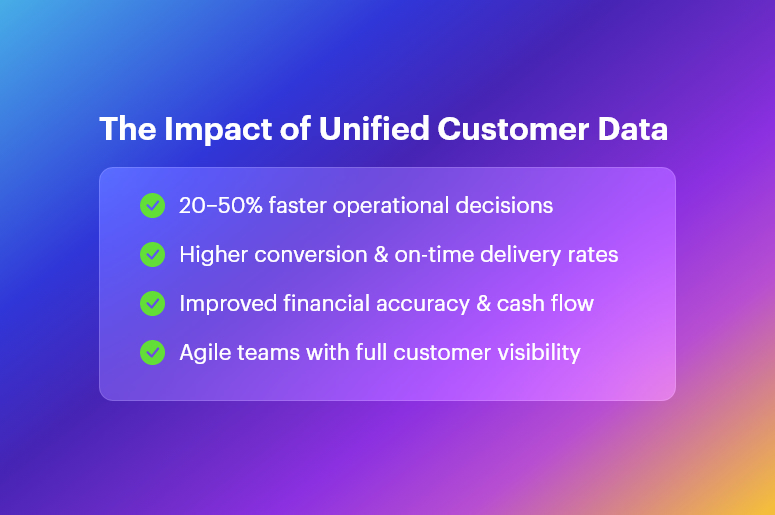
The Impact of Unified Customer Data

How CrmLeaf Centralizes Your Customer Data for Faster Decisions in 2025

A unified system is no longer just an upgrade — it’s a competitive advantage. CrmLeaf is engineered to help growing companies eliminate data silos and support smarter business decisions.

Comprehensive Data Integration

Every customer touchpoint flows automatically into CrmLeaf:

  • Sales quotes and purchase history
  • Accounts receivable and payment records
  • Manufacturing orders and delivery timelines
  • Support tickets and feedback loops

No CSV uploads. Forget duplicated entries. No waiting for “the latest version.”

This instantly improves:

  • Forecast accuracy
  • Sales prioritization
  • Customer satisfaction

Because every team sees the full customer story, not just one piece of it.

Real-Time Dashboards, Analytics & Alerts

CrmLeaf provides live visibility into what’s happening right now:

  • Is stock running low before a big order ships?
  • Are invoices aging past the due date?
  • Are high-value deals stalling in the pipeline?

Custom alerts notify the right people — faster decision → faster resolution → happier customers.

Executives can view KPIs from any device and realign teams instantly.

Cross-Department Collaboration Without Delays

When information flows freely:

  • Sales sees inventory before making promises
  • Finance confirms revenue faster
  • HR manages workforce availability in real time
  • Projects receive accurate resource schedules

Better alignment means:

  • Approvals happen faster
  • Miscommunications disappear
  • Customers receive consistent experiences

Your organization becomes agile, confident, and proactive.

Why Centralization Matters More Than Ever

Today’s businesses battle:

  • Surging customer expectations
  • Supply chain risks
  • Labor constraints
  • Increased regulatory compliance

Disconnected systems create:

  • Reporting delays
  • High error rates
  • Low productivity
  • Loss of revenue

For example:

  • Manufacturers struggle with inaccurate production planning
  • Retailers disappoint customers due to stock mismatches
  • Service businesses miscalculate billable work

Data silos don’t just slow you down — they weaken your reputation. CrmLeaf fixes this structural challenge from the ground up.

Step-by-Step Best Practices for a Successful CrmLeaf Implementation

Even a powerful platform needs a strong rollout strategy. Here’s how to ensure fast adoption and measurable ROI:

Define Clear Business Objectives

Set goals like:

  • Reduce approval time by 40%
  • Increase lead-to-customer conversion by 20%
  • Cut manual data handling in half

When everyone knows the mission, alignment is automatic.

Start Small with High-Impact Quick Wins

Example rollout path:

  • Launch CRM to consolidate contacts and sales processes
  • Add Inventory sync to automate fulfillment
  • Introduce Finance and Payroll for business-wide accuracy

Early successes build trust and momentum.

Implement Strong Data Governance

Create standards for:

  • Field naming
  • Mandatory attributes
  • Duplicate prevention

Assign data champions within each department to maintain integrity long-term.

Take Advantage of Pre-Built Integrations

CrmLeaf connects to:

  • E-commerce platforms
  • Payment gateways
  • Accounting solutions
  • Time tracking & HR systems

This removes manual reconciliation — saving hours every week.

Use an Agile Deployment Framework

Small sprint cycles → constant delivery → lower risk

You see and test progress every two weeks, not at the end.

Prioritize Change Management

People embrace systems that help them work smarter:

  • Show relevance to daily tasks
  • Offer role-based training
  • Provide ongoing help centers & chat support

When adoption is high, ROI skyrockets.

Do’s and Don’ts for Smooth Go-Live

Do Don’t
Prioritize core workflows first Migrate unused reports or fields
Validate permissions and access Give every user unrestricted access
Test integrations early Skip sandbox testing
Embrace mobile access Leave remote users behind

Go-Live Success Checklist

  • Data mapping confirmed
  • Key user approvals done
  • Backup & rollback plan ready
  • Training completed
  • Support channels active

You’re now ready for productivity — Day 1.

Customer Success Example:

Their challenge:

Their CrmLeaf transformation:

  • Real-time inventory sync prevented production stoppages
  • Financial automation improved cash flow
  • Teams accessed accurate material forecasting

Results in 3 months:

  • 45% fewer backorders
  • 60% faster invoicing
  • $150K recovered from overdue payments
  • 20% improvement in delivery performance

This is the power of shared data + smart automation.

Final Takeaways

Centralizing customer data is the foundation for:

  • Faster decisions
  • Streamlined operations
  • Better customer experiences
  • Sustainable growth

CrmLeaf turns scattered systems into a cohesive business engine, enabling every team to operate with clarity and confidence.

When your business moves fast —

  • revenue climbs
  • customers stay loyal
  • competition struggles to keep up

FAQs

What does centralized data mean inside CrmLeaf?

All operational, financial, and customer information updates in real time inside a single platform — no manual sync or duplication.

Can CrmLeaf integrate with my current tools?

Yes — seamless connectors ensure smooth transitions and real-time synchronization.

How long does implementation take?

Typically 8–12 weeks, depending on modules and customization.

How much time can this save my team?

Up to 50% less time spent on manual tracking and reporting.

What makes CrmLeaf secure?

Role-based access, encrypted data, regular audits, and global compliance standards.

How does CrmLeaf improve manufacturing operations?

Precise material planning, automated job costing, and fresh production insights.

What support do we get after onboarding?

Dedicated customer success experts + 24/7 technical assistance.

Lead Scoring Explained: How to Qualify Leads the Smart Way?

In 2025, businesses are losing up to 20% of qualified prospects simply because they cannot distinguish hot leads from the cold ones. Sales teams waste hours chasing dead ends while true opportunities slip away.

Lead Scoring Explained: How to Qualify Leads the Smart Way solves this challenge. By assigning points based on behavior, demographics, and buying intent, your team focuses only on leads most likely to convert.

In this guide, you’ll learn:

  • Why it matters for small and mid-sized businesses
  • How to build a reliable scoring model
  • How CrmLeaf’s unified CRM + ERP enhances lead qualification and collaboration across Sales, Marketing, HR, Projects, Inventory & Finance

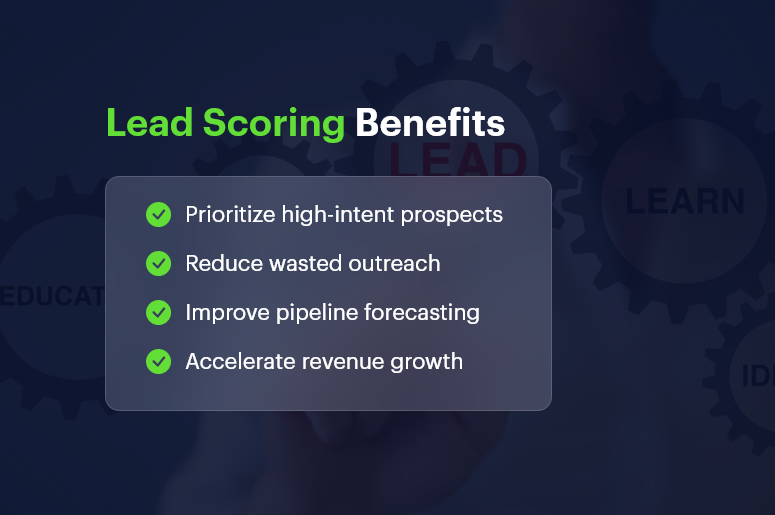
Lead Scoring Benefits

Why Lead Scoring Matters for Growing Businesses

Modern organizations face pressures like:

Inefficiencies & Hidden Costs

Disconnected spreadsheets cause:

  • Duplicate data entry
  • Missed follow-ups
  • Slower approvals

Resulting in up to 15% revenue leakage annually

Automation & Real-Time Visibility Demands

Businesses need an integrated system — CRM + ERP — to track:

  • Leads
  • Inventory availability
  • Order commitments
  • Finance approval

Industry Impact

  • Manufacturing — delayed follow-ups create stock bottlenecks → lost sales
  • Retail & Distribution — slower price updates hurt conversion
  • Services & Logistics — manual data transfers delay project readiness

Unified CRM + ERP = Zero data silos + Smarter decision-making + Higher win rates

Implementing Lead Scoring Explained: How to Qualify Leads the Smart Way

Step-by-Step Framework

Define Your Ideal Customer Profile (ICP)

  • Industry, company size, location, revenue
  • Validate with sales, marketing & finance inside CrmLeaf

Assign Scoring Attributes & Behaviors

Examples inside CrmLeaf modules:

Action Points Suggestion Module Intent
Demo Request +50 CRM High buying interest
Pricing Page Visit +30 CRM Consideration
Inventory Inquiry +20 Inventory Product need ready
Email Open +10 CRM Engagement

Set Handoff & Automation Rules

  • Trigger sales alerts when a lead score crosses threshold
  • Auto-assign leads with pipeline priority inside Projects module
  • Re-engage cold leads via CRM workflows

Lead Scoring Best Practices

  • Align marketing + sales KPIs before modeling
  • Review scoring every quarter based on win-loss data
  • Use Inventory + Finance insights for true deal profitability
  • Include negative scoring (unsubscribes, bounces, inactivity)

Do’s & Don’ts

Do Don’t
Focus on quality interactions Score every little action
Use quick wins like form-fill points Ignore low intent signals
Automate follow-ups in CrmLeaf Allow manual delays
Keep scorecard simple at first Skip cleanup of duplicate data

Implementation Checklist

  • Set goals with cross-functional teams
  • Define ICP and lead scoring criteria
  • Configure rules in CrmLeaf CRM
  • Test with a pilot segment
  • Track conversions + refine monthly

Customer Success Story

A growing manufacturing company automated lead scoring using CRM + Inventory modules.

Within 90 days:

  • 35% increase in lead-to-customer conversion
  • 60% faster lead response time
  • 20% fewer stockouts

How CrmLeaf helped:

  • Real-time scoring → instant sales prioritization
  • Projects + Finance sync → faster production approvals
  • Data accuracy → better revenue forecasting

Key Takeaways

  • Lead scoring leads to smarter outreach & faster wins
  • Unified CRM + ERP eliminates data silos

Frequently Asked Questions

Q1: What is lead scoring and why is it important?
Lead scoring ranks prospects using points to highlight those most likely to convert — improving sales efficiency and ROI.

Q2: How do I create scoring criteria?
Base points on buyer intent behaviors like demo requests, pricing page visits, and engagement signals.

Q3: Can lead scoring connect with ERP modules?
Yes. CrmLeaf synchronizes lead data with Inventory, Manufacturing & Finance for accurate order and capacity planning.

Q4: How often should I review my scoring model?
Quarterly — or whenever your product, industries, or customer behaviors change.

Q5: Does lead scoring deliver ROI?
Absolutely. Companies often see returns within the first quarter by focusing on high-value opportunities.

The Role of Customer Relationship Management in Building High-Performing Sales Teams

According to recent research, companies using a unified CRM + ERP system can boost sales productivity by up to 30%. Yet many small and mid-sized businesses continue to struggle with disconnected tools, manual data entry, and siloed customer insights. The role of customer relationship management in Building High-Performing Sales Teams has never been more critical — especially as we enter a hyper-competitive 2025.

When sales reps lack real-time visibility into inventory, pricing, or customer history, opportunities slip through the cracks and forecasting becomes guesswork.

In this post, you’ll learn:

  • Why a centralized platform is essential
  • Step-by-step best practices to implement
  • Real-world results and success frameworks

By the end, you’ll see how CrmLeaf aligns sales, finance, manufacturing, and HR teams around one single source of truth — driving efficiency, collaboration, and revenue growth.

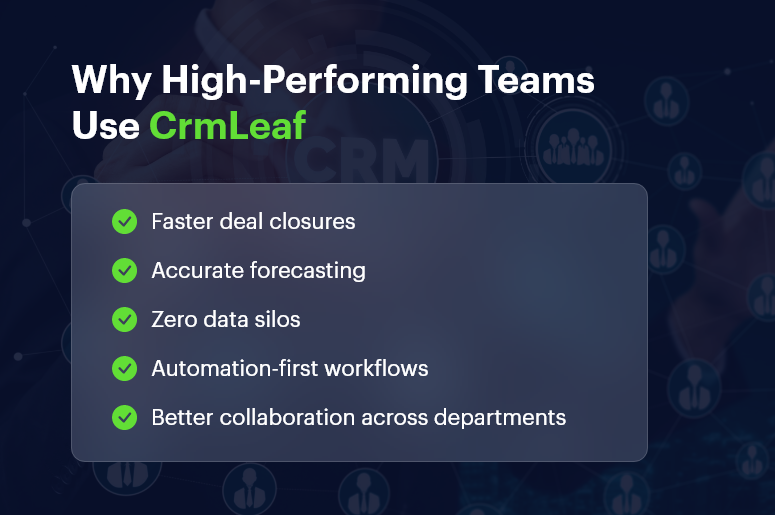
Why High-Performing Teams Use CrmLeaf

Why a Unified Customer Relationship Management Is Essential for Sales Success

In today’s fast-paced sales environment, fragmented systems create unnecessary delays, operational risks, and preventable costs.

Typical challenges include:

  • Data entry errors slowing order fulfillment
  • Missed upsell and cross-sell opportunities due to lack of customer insights
  • High workload and inefficiency as teams switch between outdated tools

Growing businesses need automation, connected workflows, and real-time data to:

  • Eliminate redundancy and manual tasks
  • Improve decision-making with real-time visibility into quotes, inventory, finance, and customer records
  • Standardize processes to prevent compliance risks and operational errors

With CrmLeaf, manufacturing teams access live production and stock data, logistics teams optimize routing, HRMS automates performance-based payroll, and sales reps sell with confidence — powered by one platform.

Best Practices, Frameworks & Actionable Implementation Tips

Follow this structured approach to maximize the role of customer relationship management in building a high-performance sales ecosystem.

1. Establish Clear Objectives

  • Set measurable sales goals (e.g., Increase win rate by 15% in Q2).
  • Map workflows across CrmLeaf modules to identify bottlenecks.

2. Standardize Data & Processes

  • Use uniform data fields and validation to prevent duplicates.
  • Integrate HRMS and Payroll to automate commission tracking.

3. Automate Routine Tasks

  • Use CrmLeaf’s workflow engine to auto-assign leads by territory or product.
  • Create reusable email templates and smart follow-up sequences.

4. Align Teams with Dashboards & KPIs

  • Build dashboards combining customer relationship management, Finance, Inventory, and Manufacturing insights.
  • Use alerts for critical triggers — overdue quotes, low stock, or stalled deals.

5. Train Continuously

  • Host monthly sessions using CrmLeaf Academy.
  • Enable mobile access so reps stay productive from anywhere.

Do’s & Don’ts

Do:

  • Engage finance, sales & operations early
  • Use phased rollouts and pilot groups

Don’t:

  • Over-automate without governance
  • Skip change management and training

Quick Wins Checklist

  • Enable lead scoring
  • Integrate email client for automatic logging
  • Set up approval workflows for quotes and contracts

Common Mistakes to Avoid

  • Migrating without cleansing legacy data
  • Treating customer relationship management adoption as an “IT project”
  • Ignoring mobile optimization

Expert Recommendations

  • Audit tech stack quarterly
  • Use API integrations for marketing, payments & automation
  • Track both leading and lagging KPIs

Why a Unified CRM + ERP Delivers Superior Results

CrmLeaf provides:

  • End-to-end visibility across modules
  • Real-time synchronization to prevent errors
  • Modular expansion as business scales

This unified architecture eliminates silos and supports continuous growth — without complexity.

Customer Success Story

Apex Manufacturing implemented CrmLeaf’s Lead-to-Cash automation to eliminate manual workflows and outdated spreadsheets.

In just 90 days, they achieved:

  • 25% reduction in order processing time
  • 15% increase in upsell revenue
  • 80% decrease in data reconciliation errors

Key improvements included:

  • Real-time stock visibility for reps
  • Automated commission updates via Payroll
  • Faster month-end closing cycles for finance

Key Takeaways

Building a high-performing sales team in 2025 requires more than a standalone customer relationship management — it demands a unified CRM + ERP platform.

With CrmLeaf, businesses can:

  • Standardize workflows
  • Automate tasks
  • Align teams around reliable real-time data

The Role of customer relationship management in Building High-Performing Sales Teams is clear: empower reps with insights, automate complexity, and scale intelligently.

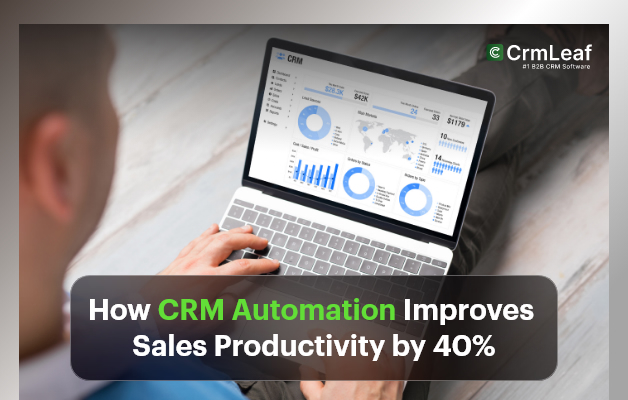
How CRM Automation Improves Sales Productivity by 40%?

In today’s fast-paced business landscape, companies that automate their sales processes see measurable gains in performance and efficiency. How CRM Automation Improves Sales Productivity by 40% isn’t just a compelling statement — it’s an achievable reality for organizations leveraging intelligent automation.

Yet SMBs still struggle with outdated systems: spreadsheets, isolated apps, and manual data entry. These inefficiencies result in missed deals, delayed communication, low visibility, and overwhelmed sales teams.

In 2025 — an era defined by speed, personalization, and data-driven selling — manual processes don’t just slow you down; they create competitive disadvantages.

In this article, you’ll discover:

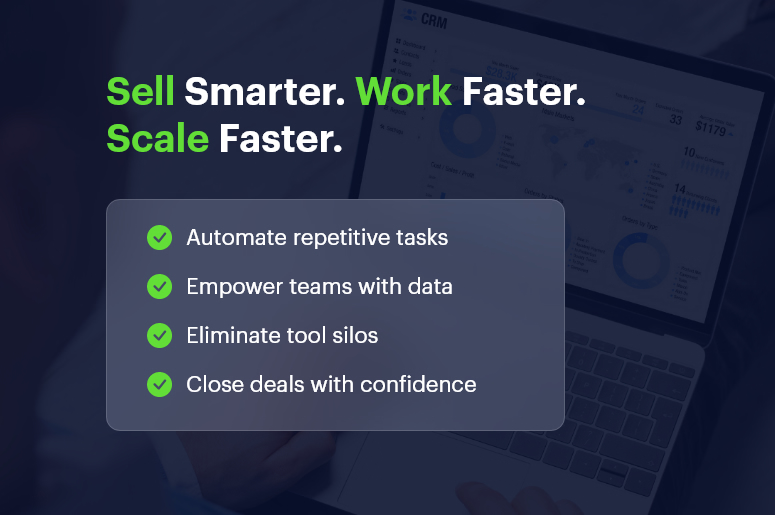
  • Why automation is now essential — not optional
  • A framework for implementing CRM + ERP automation
  • Real success examples from growing businesses
  • Which CrmLeaf modules drive the fastest ROI

By the end, you’ll be equipped to modernize workflows, increase productivity, and scale with confidence.

Sell Smarter  Work Faster  Scale Faster

Why CRM Automation Matters

Digital disruption and rising customer expectations have transformed sales. Manual processes are costly, slow, and error-prone.

Key Challenges of Non-Automated Systems

  • Lost Time & Productivity: Reps spend hours entering data instead of selling.
  • Data Inaccuracy & Risk: Manual spreadsheets lead to errors, duplicates, and inconsistent customer records.
  • Compliance & Cost Issues: Disparate systems increase operational cost and make audit trails difficult.

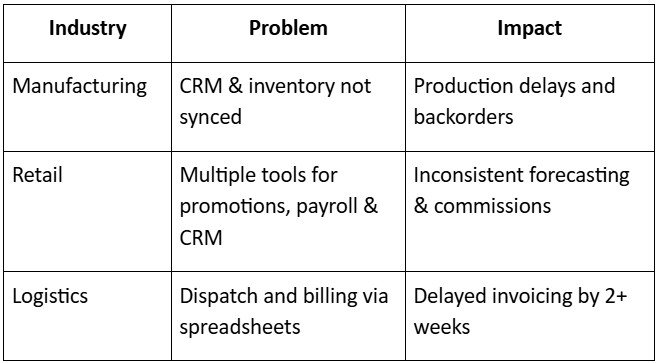
Real-World Impact Examples

Real-world-impact-examples

Growing companies can no longer afford disconnected tools. Automation + integration = competitive advantage.

How CRM Automation Improves Sales: Framework & Best Practices

Implementing CrmLeaf’s unified platform requires a strategic rollout.

Map Your Sales Process End-to-End

  • Document every stage — from lead capture to renewal.
  • Identify bottlenecks and repetitive tasks.
  • Use CrmLeaf CRM, Inventory, and Finance modules to automate handoffs.

Set Automation Goals

Examples:

  • Reduce lead response time by 50%
  • Automate proposal and approval cycles
  • Increase sales forecasting accuracy

Tie each KPI to a CrmLeaf module for measurable progress.

Start With Quick-Win Automations

Examples:

  • Automatic lead assignment
  • Automated email sequences
  • Follow-up reminders

Quick wins build confidence and accelerate adoption.

Use Unified Data for Intelligent Decisions

Connecting CRM, Finance, Manufacturing, and Projects provides:

  • Pipeline and revenue insights
  • Inventory-aware quoting
  • Accurate forecasting

Sales leaders move from guesswork → precision.

Align Teams with Shared Workflows

Use Projects and HRMS modules to:

  • Improve collaboration
  • Reduce handoff delays
  • Sync sales, manufacturing, billing, and service teams

Train & Empower Users

  • Deliver role-based onboarding
  • Encourage feedback loops
  • Optimize workflows based on usage patterns

Do’s & Don’ts

Dos-and-Donts-of-CRM-Automation

Expert Tips

  • Roll out automation in phases
  • Review data integrity monthly
  • Use CrmLeaf API to connect existing tools

Common Mistakes to Avoid

  • No stakeholder alignment
  • Over-reliance on default templates
  • No optimization post-implementation

Mini Implementation Checklist

  • Map processes
  • Assign automation champions
  • Train teams
  • Launch phased automation
  • Measure & iterate

Customer Success Example

Greenwood Distributors struggled with inconsistent lead follow-ups and manual purchase orders. After implementing automated lead scoring and order workflows in CrmLeaf:

  • 40% faster response speed
  • 120 hours/month saved from manual data entry
  • 60% faster order approvals

Better alignment across sales, inventory, and finance teams

Key Takeaways

CRM automation is now essential — not optional. With CrmLeaf’s unified platform, organizations can:

  • Eliminate manual repetitive tasks
  • Improve sales forecasting and visibility
  • Accelerate decision-making
  • Increase team alignment across CRM, Finance, Projects, HRMS, Manufacturing, and Inventory

In 2025 and beyond, winners will be businesses that digitize workflows and operate with speed.

FAQs

1. What is the main benefit of CRM automation?

Faster follow‐ups, reduced manual work, and improved conversion rates.

2. Can small businesses afford CrmLeaf?

Yes — modular plans ensure you only pay for what you need.

3. How long until results appear?

Most organizations see results within 8–12 weeks.

4. Is automation secure?

CrmLeaf includes access controls, encryption, audit logs, and compliance tools.

5. Does CrmLeaf integrate with existing tools?

Yes — via open API and prebuilt connectors.

6. What mistakes should be avoided?

Skipping process mapping, overwhelming teams, and failing to optimize.

7. Do I need an IT team to manage CrmLeaf?

No — CrmLeaf is built for business users, not developers.